Give a judge a login to the evidence system and you have solved an access problem while leaving a usability problem. A judicial viewer for digital evidence is a distinct system category in the National Center for State Courts framework, not a permission level on an administrator console, and the difference shows up the first time a judge tries to review four exhibits before a busy motions list.
The guide to AI tools for judges covers what belongs at the bench more broadly. This article covers the interface itself, which is the least discussed component in court technology and one of the most consequential for whether anything else gets adopted.
What a judicial viewer has to do
NCSC describes a judge-facing interface allowing judges or judicial reviewers to securely access, review, and evaluate digital evidence before and during proceedings. The functional requirements it names are specific.
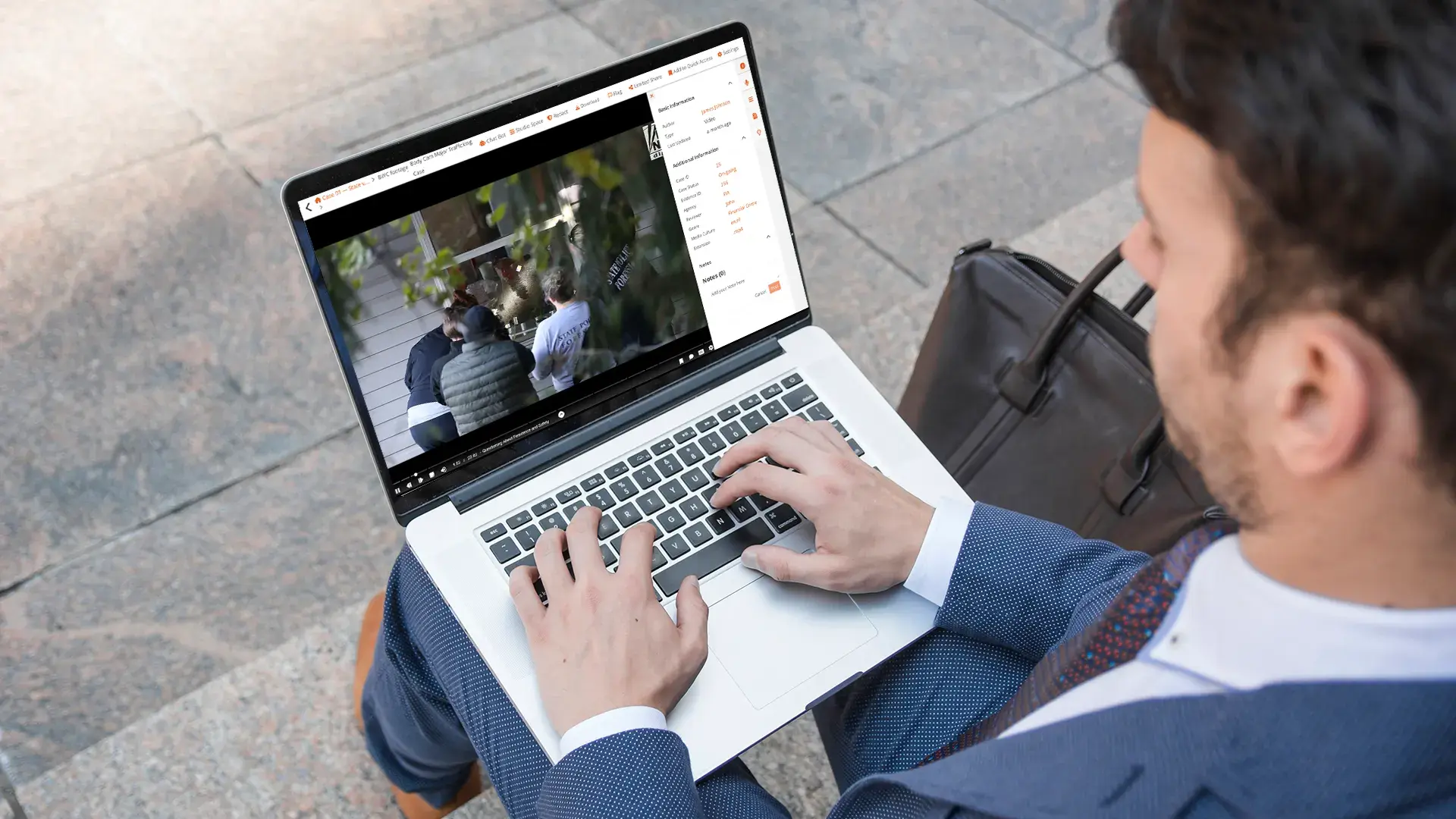
Playback of audio and video, which sounds trivial until you consider that a judge reviewing a two-hour recording needs variable speed, precise seeking, and the ability to return to a point. Display of documents and images without downloading them to a personal device. Metadata inspection, because provenance is frequently what the review is about. Annotation tools. Access to sealed and confidential material under appropriate control. And a consistent experience across in-person, virtual, and hybrid hearings, so a judge is not learning a different interface depending on how the hearing is being held.
The consistency requirement is the one most often missed. A viewer that works well at a desk and poorly on the bench, or well in chambers and poorly in a remote hearing, will be used in one setting and worked around in the others.
Annotation that does not accidentally become the record
Annotation is where a judicial viewer differs most sharply from a general evidence interface.
A judge marking a passage for their own reference is doing something private. A judge marking a passage that then becomes visible to parties has done something else entirely. The distinction has to be enforced by the system rather than by care, because the consequences of getting it wrong are severe and the mistake is easy.
The requirements that follow: annotations default to private, visibility is explicit rather than inherited, shared annotation is a deliberate act with a record, and annotations are separable from the exhibit so that the underlying evidence is never altered.
There is also a retention question courts rarely address. Are judicial annotations part of the record, working notes, or something in between? The answer differs by jurisdiction and needs to be decided before the feature is used rather than after an application for disclosure.
The judicial reviewer, a role rather than a screen
NCSC names a stakeholder that court technology discussions usually omit: the judicial reviewer, who examines evidence before or during a proceeding to determine admissibility considerations, ensure compliance with court rules, and assess whether evidence is complete, accessible, and properly labeled.
That person identifies deficiencies such as missing metadata, improper formatting, or late submission, and issues instructions to parties to fix them before the hearing. The purpose is early case management and reducing delay during presentation.
Designing for this role changes the interface requirements. A reviewer needs to see completeness across a case rather than open items individually, needs to record findings against specific items, and needs to communicate deficiencies back to parties. That is a workflow, not a viewer, and courts that have staffed the role without supporting it find reviewers working in spreadsheets alongside the evidence system.
Sealed material inside the same interface
A judge frequently needs access to material nobody else in the hearing can see, and that access has to work without a separate system.
The requirement is that restricted material is visible to the judge in the same interface, clearly marked as restricted, with the restriction's basis available, and with sharing controls that prevent accidental disclosure during a hearing. The administration underneath is covered in sealing, protective orders, and tiered access to court records.
Marking matters. A judge looking at an exhibit should be able to tell at a glance whether it is public, restricted, or sealed, because the consequence of misjudging that in open court is immediate.
Where the viewer connects to everything else
A judicial viewer is only as useful as what it is connected to.
It needs the exhibit list, so a judge reviewing before a hearing sees what has been offered and what has been admitted rather than a folder of files. That discipline is covered in the digital exhibit lifecycle.
It needs metadata sufficient to answer provenance questions, because a judge asked to rule on authenticity will start in this interface. That question is covered in verifying an exhibit from the bench.
And it needs to reach the case record, so evidence is seen in the context of the filings around it rather than as a detached library.
How VIDIZMO DEMS supports judicial review
The relevant capabilities are the review surface rather than anything analytical.
Browser-based playback with variable speed, frame-by-frame stepping, and synchronized multi-angle playback covers the audio and video requirement without depending on software installed on a judge's device. Document and image display with metadata inspection covers the rest of the evidence types. Annotation supports comments, highlights, free-form drawing, and notes, applied without altering the underlying file. And role-based access control makes restricted material available to the bench while remaining unreachable to others.
Where it does not help: VIDIZMO's Digital Evidence Management System (DEMS) does not present evidence to a courtroom, so the judicial viewer is a review interface rather than a display system. And the decision about whether judicial annotations form part of the record is a court determination that no product should make.
What to specify
If your court is procuring or configuring a judicial viewer, the requirements that separate adequate from good are narrow.
Consistent behavior across settings. Private-by-default annotation with explicit sharing. Clear marking of restricted material. Access to the exhibit list rather than a file browser. And a workflow for the judicial reviewer role if your court staffs it, because a viewer alone leaves that person managing findings elsewhere.
Judges use what works on the bench under time pressure. A viewer that requires preparation before it is useful will not be used.
Explore DEMS to review playback, annotation, and restricted-material handling from a judicial perspective.