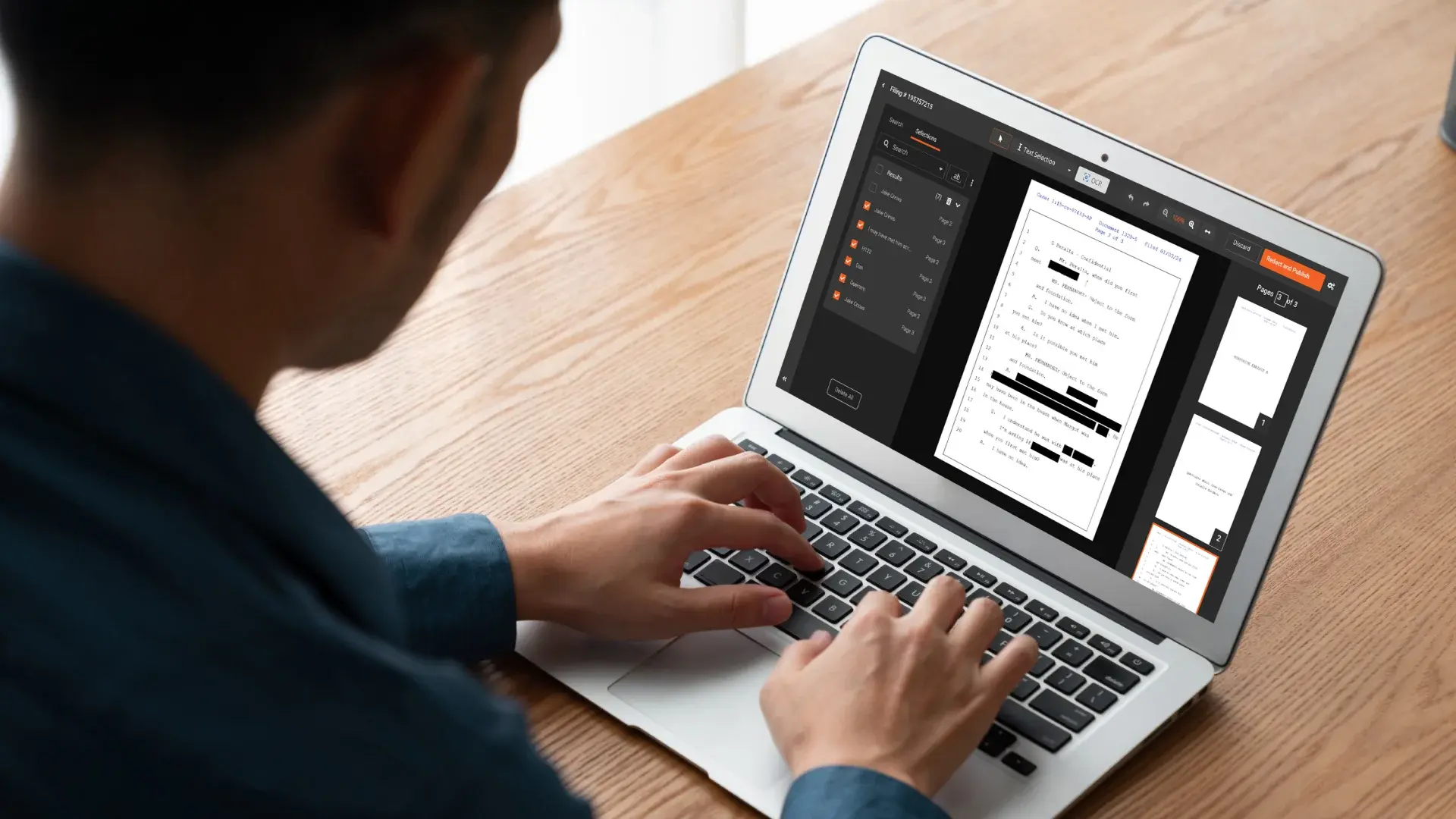
Screen recordings are everywhere now: product demos, support walkthroughs, internal training, compliance evidence, and client-facing updates. But the moment a recording scrolls through a document, it becomes surprisingly easy to expose sensitive text. Names, emails, account numbers, addresses, IDs, patient details, internal project names, and confidential clauses can flash on screen for a second and still be captured forever.
If your team records screens while reviewing or scrolling through documents, you need a redaction approach that’s designed for motion, not just static frames.
Why scrolling recordings are hard to redact
Redacting a single, stationary element is straightforward. Scrolling changes the game.
- Text moves continuously, so a fixed blur box won’t stay aligned
- Sensitive fields can appear briefly, then disappear
- Content may change size or position as the user zooms or switches windows
- Motion blur and compression reduce legibility, making detection harder
- A small miss can expose critical information in a single frame
This is why many teams struggle with post-production tools that weren’t built for privacy workflows.
Common real-world scenarios
This use case shows up across industries and departments.
Client services and consulting
Teams share screen recordings to explain findings, walk through documentation, or demonstrate research. Those recordings may include client names, proprietary documents, or contractual language that must not be shared outside the engagement.
Customer support and success
Support teams record reproductions and troubleshooting steps. During scrolls, tickets, customer emails, billing records, and customer identifiers can appear unexpectedly.
Healthcare and insurance
Screen recordings of claims systems, patient portals, and case files can include sensitive personal data that must be protected under strict privacy requirements.
Finance, legal, and compliance
Document reviews, audits, and investigations often involve protected information that needs to be removed before sharing evidence or training materials.
What to look for in a redaction solution for scrolling text
If you are evaluating tools for this specific workflow, prioritize these capabilities.
1) Redaction that works with motion
You need a workflow that supports redacting content even as it moves across the screen, so sensitive information remains protected during scrolls.
2) Multiple redaction methods
No two recordings are the same. Sometimes you need automatic assistance, other times manual precision. A complete solution should support both approaches so you can choose what’s fastest and safest.
3) Review and quality control
Redaction isn’t finished when you place a blur. Teams need a reliable review step to confirm nothing leaks, especially in high-stakes content.
4) Scale for real workflows
You should be able to process multiple videos efficiently, maintain consistency across a team, and reduce the time it takes to make a video share readye-ready.
5) Options for expert help when needed
Some teams occasionally need a done-for-you option for urgent projects, complex videos, or when internal capacity is limited.
A complete approach with VIDIZMO Redactor
VIDIZMO Redactor is built to handle video redaction workflows end-to-end, including complex cases like screen recordings where content scrolls through documents. Instead of stitching together separate tools for editing, masking, review, and delivery, it brings the workflow together in one place.
Cover the full range of redaction needs
Whether you are redacting a single email address that appears for a moment or cleaning an entire recording that includes repeated sensitive fields, VIDIZMO Redactor supports a practical workflow from start to finish. Teams can redact what matters, verify results, and produce shareable outputs without leaving the platform.
Protect sensitive information in motion-heavy screen recordings
Scrolling documents are one of the most common sources of accidental exposure. VIDIZMO Redactor is designed for video-first privacy use cases, helping teams redact sensitive text and on-screen information even when the view is moving.
Enable consistent review before sharing
A redacted video often needs to be shared with external stakeholders or stored for compliance. VIDIZMO Redactor supports review-focused workflows so teams can validate that sensitive text is properly obscured before distribution.
Scale for teams and repeatable processes
As usage grows, teams benefit from consistency, speed, and reduced rework. VIDIZMO Redactor is designed to support organizational workflows, not just one-off edits.
When you need extra help: professional redaction services
Some cases require an accelerated turnaround or specialized handling. If your team needs assistance beyond the in-house workflow, VIDIZMO also offers professional services to help deliver redacted content quickly and reliably.
A simple workflow for scrolling document recordings
Here’s a practical way teams typically approach this use case.
- Identify sensitive segments in the recording
Focus on points where the scroll reveals names, IDs, addresses, financials, medical details, or proprietary content. - Apply redaction across the relevant duration
Ensure sensitive areas remain protected while text moves during scrolling. - Review the redacted output
Recheck the full sequence, including fast scrolls and brief appearances. - Export and share confidently
Produce a version safe for clients, partners, training, or storage.
Final thoughts
If your recordings involve scrolling through documents, redaction needs to be treated as a privacy workflow, not just a video edit. The risk is real, and the exposure can happen in a blink.
VIDIZMO Redactor provides a whole solution for video and screen-recording redaction, helping teams protect sensitive information, maintain review controls, and scale redaction work without patchwork tools.
You Can Start your Free Trail Today - No Credit Card Needed

FAQ
Frequently Asked Questions
Can VIDIZMO Redactor redact text in screen recordings where documents are scrolling?
Yes. VIDIZMO Redactor is designed for video redaction workflows, including screen recordings where sensitive text appears while content is moving during scrolling. It supports redacting on-screen information across the duration where it appears, helping keep sensitive text protected even in motion-heavy segments.
Does VIDIZMO Redactor support automatic redaction for PII and PHI in videos?
VIDIZMO Redactor is built for privacy-focused video redaction use cases, including scenarios where organizations need to protect personally identifiable information (PII) and protected health information (PHI) that appears on-screen in video content and screen recordings.
What types of sensitive information can I remove with VIDIZMO Redactor?
Common redaction targets include names, email addresses, phone numbers, home addresses, account numbers, IDs, case numbers, patient details, and confidential business information displayed in documents, portals, or applications during a screen recording.
Is VIDIZMO Redactor suitable for compliance-heavy industries like healthcare, finance, and government?
Yes. VIDIZMO Redactor is used for redaction workflows in environments where privacy, security, and controlled sharing matter, such as healthcare, insurance, legal, finance, public sector, and regulated enterprises.
Can VIDIZMO Redactor help teams review and quality-check redactions before sharing videos?
Yes. VIDIZMO Redactor supports review-focused workflows so teams can validate that sensitive data is properly obscured before exporting or distributing the redacted video.
Does VIDIZMO Redactor offer professional redaction services (white glove redaction)?
Yes. In addition to self-service redaction, VIDIZMO offers White Glove Professional Redaction Services for teams that need faster turnaround, extra capacity, or expert handling for complex or high-volume redaction projects.
Can VIDIZMO Redactor be used for training videos, client deliverables, and customer support recordings?
Yes. These are common use cases. VIDIZMO Redactor helps remove sensitive on-screen text from recordings before they are shared with clients, used for internal training, or distributed as support documentation.
What is the best way to redact confidential documents shown in a screen recording?
A best-practice approach is to identify the timestamps where confidential content appears (especially during scrolling), apply redaction across the full duration, and perform a final review pass to confirm no sensitive text appears even briefly. VIDIZMO Redactor is built to support this end-to-end workflow.
TopicsRedactionRedactorSecurity and Compliance
About the author
Zain Noor is a Product Marketing Executive at VIDIZMO with expertise in AI redaction technology. He focuses on how public safety agencies, government bodies, and commercial organizations adopt and operationalize video intelligence at scale.
You may also like
What Is a Real-Time Crime Center? A Guide for Cities and Counties
Somewhere in the last two years, someone probably asked your department whether it should have a real-time crime ...

Staffing a Real-Time Crime Center When Software Does the Watching
Most chiefs who hear a pitch for a real-time crime center ask the same question before any other, which is whether they ...
RTCC, EOC or Situational Awareness Center: What Each Room Is For
Walk into a real-time crime center, then into a city's emergency operations center, and you will see much the same ...