<img height="1" width="1" style="display:none;" alt="" src="https://px.ads.linkedin.com/collect/?pid=YOUR_ID&amp;fmt=gif">

How AI Transcription Makes Enterprise Video Searchable

by Hassaan Mazhar, Last updated: February 19, 2026, ref: 

A person working on a laptop which has AI written on its back.

How AI Transcription Makes Enterprise Video Searchable
12:39

Your organization probably has hundreds, maybe thousands, of recorded meetings, executive briefings, compliance sessions, and product demos sitting in a shared drive or Teams channel right now.

And most of them? They haven't been watched since the day they were recorded.

That's not a video problem. That's an accessibility problem.

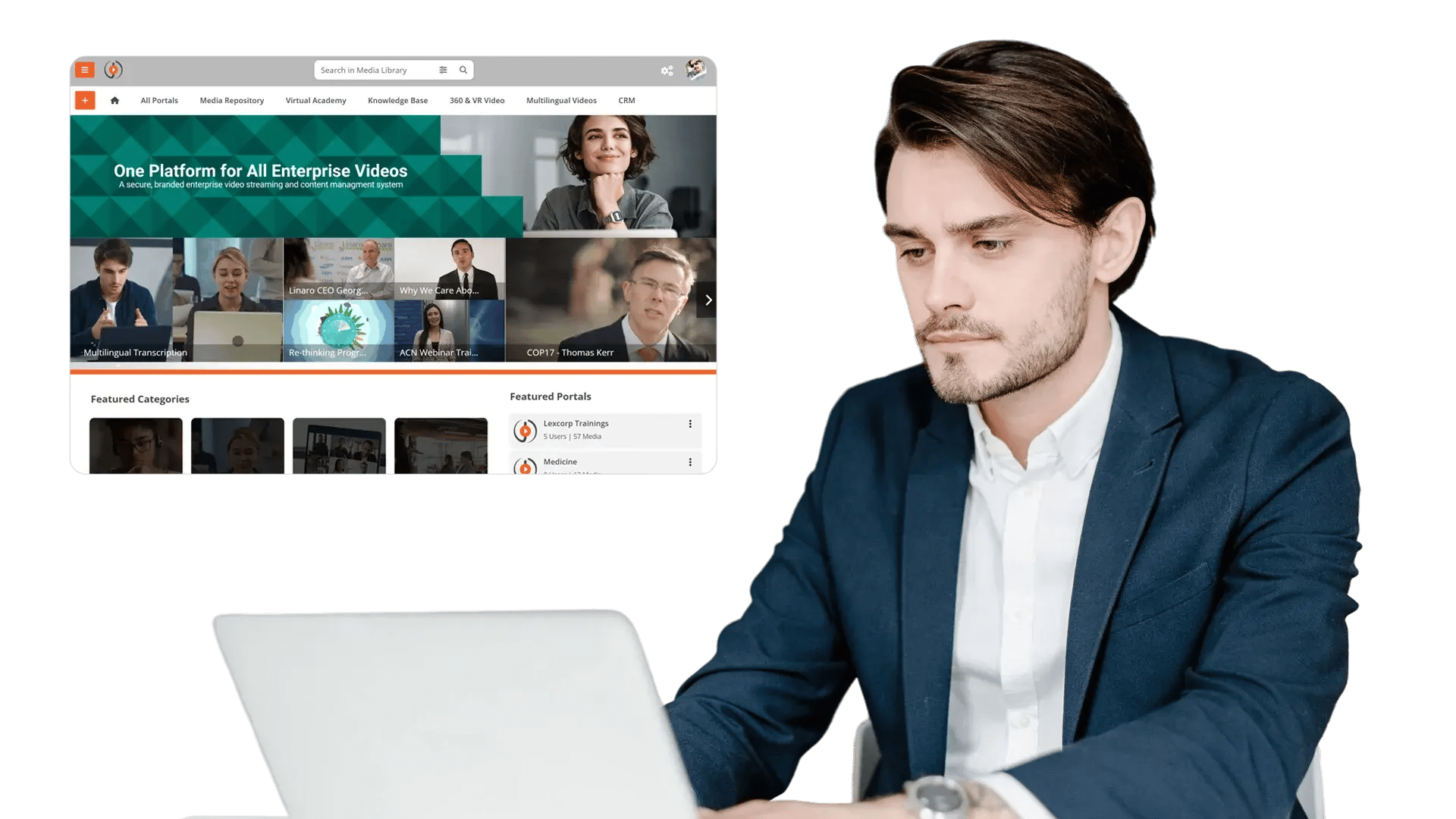
This post walks you through how AI transcription for enterprise video, combined with timestamp search, turns passive recordings into a living, searchable knowledge base — one your team can actually use.

The Hidden Cost of "We Record Everything"

Here's a scenario that plays out in organizations every day.

A new employee needs to understand the updated security policy. Someone tells them, "There was a webinar about that in March, check the recordings folder." They open the folder. There are 47 recordings, all titled things like "All-Hands March 14" or "Security Update Session." No descriptions. No chapters. No way to know which one has the information they need.

So, they do one of two things: they spend 40 minutes scrubbing through videos hoping to find the right moment, or they just message a colleague and ask.

Either way, time is wasted. Knowledge that should have been instantly accessible isn't.

And this isn't a rare edge case. It's the default experience in most enterprises today.

According to McKinsey Global Institute, employees spend nearly 20% of their workweek searching for internal information. Video content, despite being one of the richest formats for knowledge transfer, is often the hardest to search. So, it sits unused. The recordings pile up, storage costs grow, and the knowledge inside them stays locked away.

Why Traditional Video Storage Doesn't Work

Most enterprise video ends up in one of three places: Microsoft Teams, SharePoint, or a shared cloud drive. And all three share the same fundamental flaw, they're built for file storage, not knowledge retrieval.

Here's what that looks like in practice:

Videos are organized into folders, not by topic or content. Search works on file names and titles, not what was actually said inside the recording. There's no way to jump to a specific moment without scrubbing through the entire file. And no one can search for "what the CFO said about Q3 projections", because no one indexed the spoken words.

The result is that video becomes digital clutter. Teams revert to sending long email chains or holding repeat meetings to re-share information that was already captured on video. The recordings exist, but no one uses them.

As one IT team lead put it: "We do have recordings, but currently we record them and we don't use them. Our team manually replays them, which takes up all of their time."

The solution isn't better folder organization. It's making the content inside the video searchable in the first place.

Step 1: AI Transcription: Turning Spoken Words into Searchable Data

AI transcription is the foundation of everything that follows. Without it, your videos are opaque media files. With it, every spoken word becomes a data point that can be searched, indexed, and retrieved.

Here's what happens when you apply AI transcription to enterprise video:

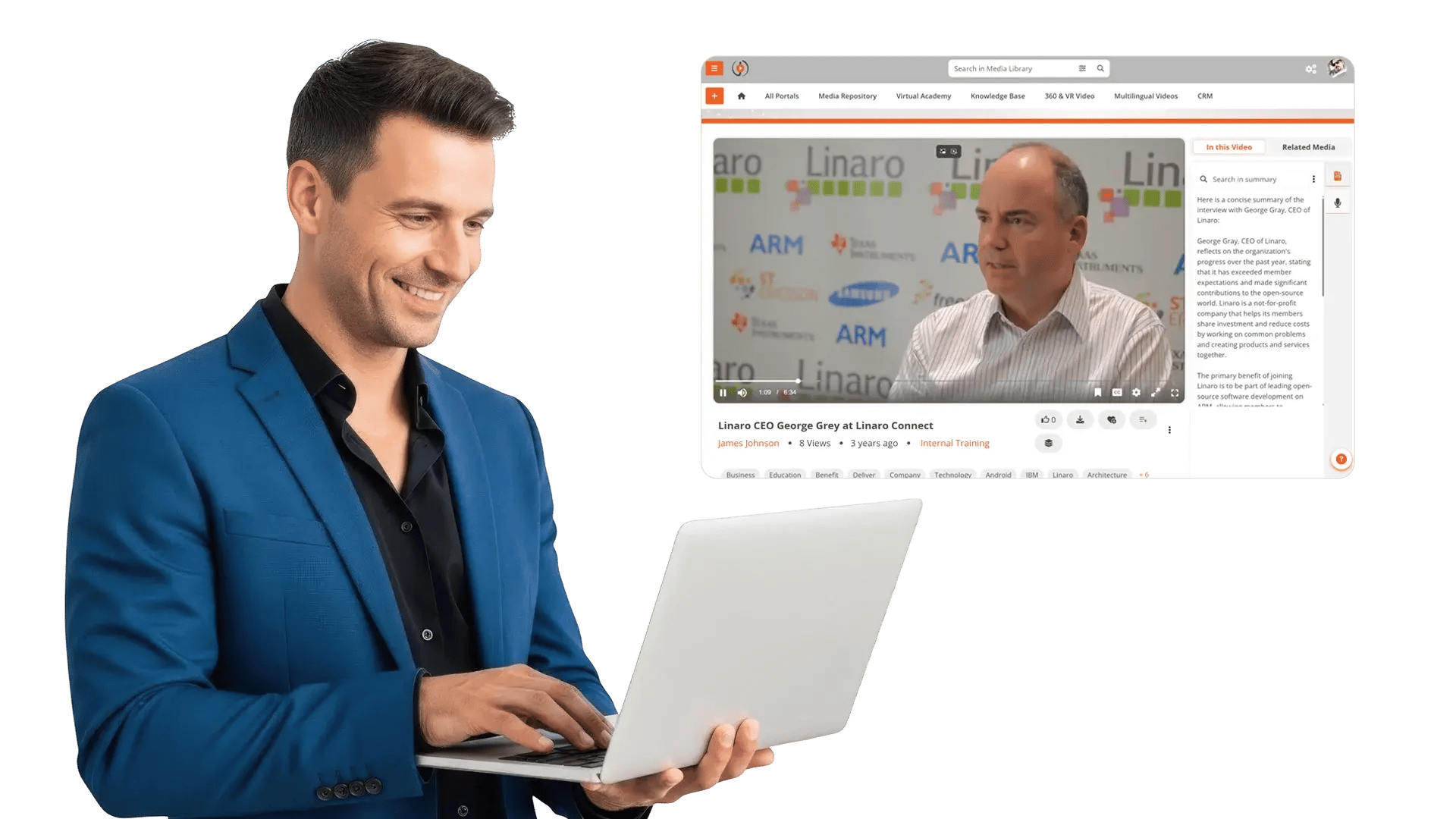
The system listens to the audio track of your recording and converts spoken words into a full, time-coded text transcript, automatically, without anyone manually typing a word. That transcript is then indexed, meaning every keyword, phrase, and idea in the video is now discoverable through search.

This is not the same as closed captions for accessibility (though AI transcription improves accessibility too). Transcription, in the enterprise context, is about creating searchable metadata out of spoken content. It's what allows a search bar to find "Q3 forecast" inside a 90-minute all-hands recording.

For enterprise knowledge management, AI transcription does three things at once.

It makes video searchable. Any keyword a user searches can now be matched against the full text of every video in your library. It enables compliance documentation — regulated industries often need auditable records of training, policy briefings, and compliance sessions, and a searchable transcript provides exactly that. And it improves accessibility, supporting employees with hearing impairments, non-native speakers, and anyone working in a noisy or quiet environment.

A report by SHRM found that employees are significantly more likely to engage with video content when it includes transcripts, partly for accessibility, but also because transcripts allow them to skim and navigate more effectively.

Think of AI transcription not as a feature, but as the infrastructure that makes all other video intelligence possible.

Step 2: Timestamp Search: Jump Straight to the Answer

Once your videos are transcribed, timestamp search becomes possible. This is where the day-to-day productivity gains really show up.

The workflow looks like this: an employee types a search query, something like "Q3 revenue forecast" or "data retention policy update." The AI scans the transcripts across your entire video library. Results appear with precise timestamps, not just "this video contains that phrase," but "this phrase appears at 01:12:34 in this recording." The user clicks the result and jumps directly to that moment in the video.

No scrubbing. No guessing. No replaying 90-minute recordings hoping to find a 2-minute answer.

Here's how that plays out for common enterprise scenarios:

"What did the CFO say about Q3 forecasts?" Instead of rewatching the entire earnings briefing, a manager searches the phrase and jumps directly to the timestamp where the CFO addressed it.

"Where was the new data retention policy explained?" A compliance officer searches across all training recordings and lands at the exact moment the policy was covered, with a time-coded transcript to reference in documentation.

"When did the product roadmap change?" A product manager searches across quarterly all-hands recordings and finds every instance where the roadmap was discussed, with direct links to each timestamp.

This kind of search transforms video from a passive archive into an active knowledge resource. And it directly addresses one of the biggest complaints enterprise teams have about video: that finding a specific piece of information takes too long to be worth the effort.

Research by Forrester found that employees who can't find information efficiently are more likely to recreate work, make decisions with incomplete data, or simply give up. Timestamp search removes that barrier entirely.

Step 3: AI Chapters and Summaries: Structure for Unstructured Content

A two-hour town hall recording is a single, undifferentiated block of content. Even with transcription and timestamp search, it's not always easy to know where in that block to look.

AI chapter generation solves this. The system analyzes the transcript and automatically identifies topic shifts, moments where the conversation moves from, say, company financials to product updates to Q&A. It then creates named chapters with visual markers on the video timeline, so users can see the structure of the recording at a glance.

Paired with AI-generated summaries, this transforms what was once a monolithic recording into something more like a structured document, with sections, headings, and navigable content. Users don't just search for a keyword and land at a timestamp. They can browse the structure of a recording, read a summary of each section, and decide where to spend their attention before they watch anything.

For longer-form content, executive keynotes, multi-hour training sessions, all-day conferences, this structure is what makes the content actually usable.

Even better, some platforms now allow AI to automatically extract short, topic-focused clips from long recordings. A three-hour leadership summit can become a library of five-minute segments, each focused on a single topic, without anyone manually editing the original footage. That's a capability that used to require a video production team. Now it's a feature of intelligent video platforms, and it directly addresses what enterprise teams actually want: "I want the AI to cut a one-to-three hour recording into one-minute clips of key topics detected automatically."

What This Means for Your Organization

When AI transcription, timestamp search, and chapter generation work together, the impact reaches across the enterprise.

Decisions get made faster. Executives and team leads don't have to wait for someone to find and replay the right recording. They search, they jump, they get the information they need in seconds rather than hours.

Internal support load drops. One of the most common use cases from enterprise teams is reducing "can you just explain that again?" requests. When employees can search recordings themselves and jump to the exact answer, they stop escalating questions that the video already answers. IT helpdesks, HR teams, and internal trainers all benefit.

Institutional knowledge becomes persistent. When a longtime employee leaves, their knowledge doesn't walk out the door with them, not if their presentations, briefings, and training sessions are searchable. Video becomes an organizational memory system rather than a collection of files.

Compliance becomes easier to demonstrate. Auditable, searchable transcripts with timestamps give compliance teams a clear record of what was communicated, when, and to whom. For regulated industries, this is a significant operational advantage.

Onboarding accelerates. New hires can search through months of recorded all-hands meetings, product walkthroughs, and training sessions without being dependent on a colleague to walk them through everything. The knowledge is there. They just need to be able to find it.

From Video Storage to Video Intelligence

There's a shift happening in how enterprises think about video. For the past decade, the focus has been on capture, making it easy to record meetings, stream events, and archive content. That problem is largely solved. Most organizations record far more than they can realistically use.

The next challenge is retrieval. And retrieval requires intelligence, not just storage.

Enterprise video platforms that apply AI to transcription, search, and content structuring are turning recordings from passive archives into active knowledge systems. The content doesn't change, the way it's accessed does.

According to Gartner, organizations that invest in knowledge management systems see measurable improvements in employee productivity and reduced time-to-competency for new hires. Video, when made searchable, becomes one of the most scalable knowledge management tools an enterprise can deploy.

The question isn't whether your organization should record its meetings and training sessions. You probably already do. The question is whether those recordings are working as hard as they should.

A searchable enterprise video platform answers that question with a clear yes, because it doesn't just store your video. It makes your video find-able, navigable, and genuinely useful.

Conclusion: Video That Works When You Need It

Enterprise video has never been the problem. The problem has always been that most of it sits in storage, unsearchable and unused.

AI transcription converts every spoken word into indexed, discoverable data. Timestamp search lets employees jump directly to the answer they need. AI chapters and summaries give structure to content that was never designed to be navigated. Together, these capabilities transform recordings from digital clutter into a searchable, self-serve knowledge engine.

The next time someone on your team says "we record everything, but no one uses the recordings," the answer isn't to stop recording. It's to make what you've already captured actually findable.

Ready to see what AI video intelligence looks like in practice?

Discover how VIDIZMO EnterpriseTube turns long recordings into a searchable, self-serve knowledge base, so your team finds the right answer in seconds, without opening a ticket or replaying a two-hour recording.

Head over to Top Enterprise AI Video Search Platforms Compared (2026)

Jump to

    No Comments Yet

    Let us know what you think

    back to top