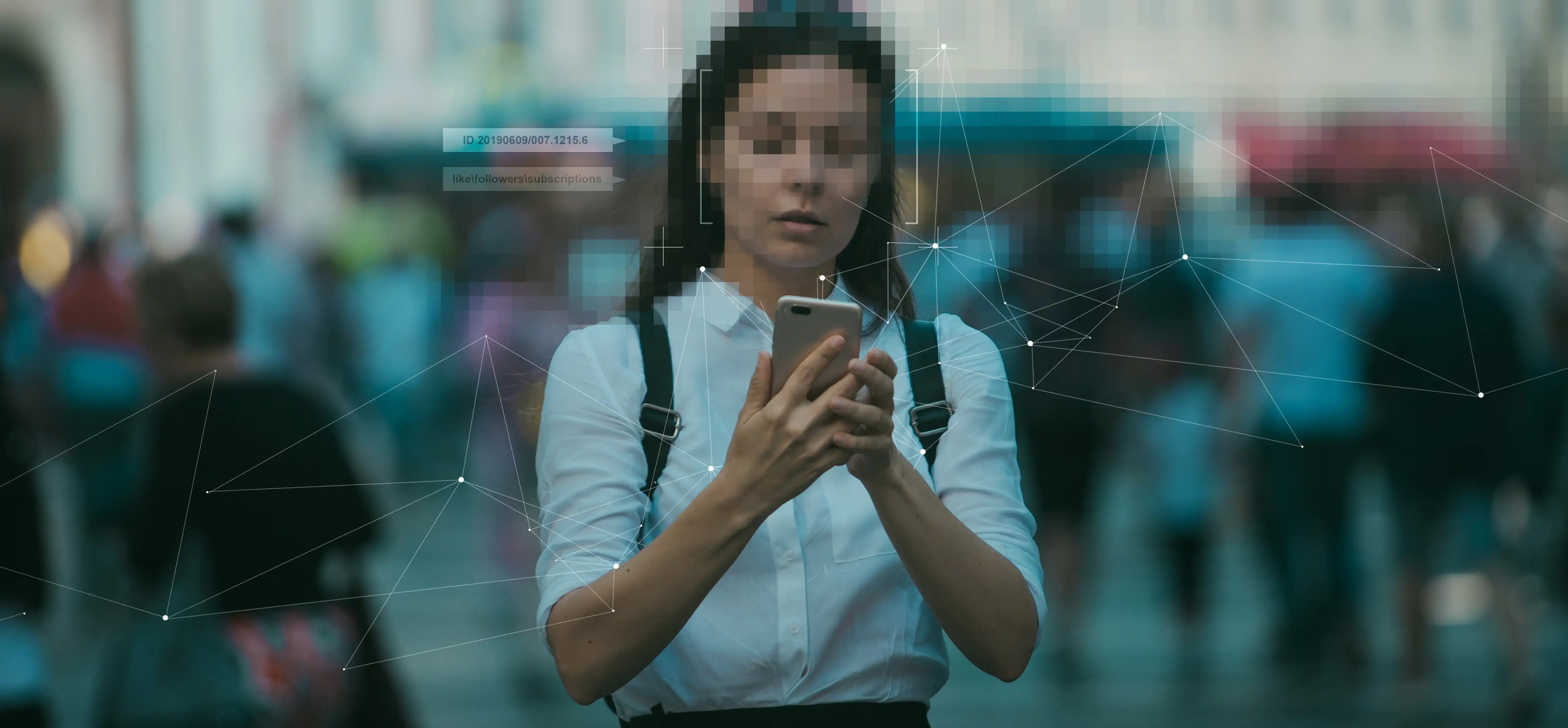
Video is now central evidence and record across law enforcement, insurance, healthcare, and government. The moment that footage has to leave the organization, for a court, a FOIA or DSAR response, an insurance claim, or the press, every face, license plate, and spoken identifier in it has to be redacted first. Get that wrong and the result is a privacy breach and a compliance failure, often with fines and headlines attached.
Manual redaction does not scale to that. Reviewing footage frame by frame and blurring by hand is slow, inconsistent, and error-prone, and a single missed face in a released clip is a breach no matter how careful the rest of the work was. That is why organizations move to video redaction software, and why the choice matters: these tools differ far more than their marketing suggests, and the gaps only show up once real footage is loaded.
This guide is the evaluation framework. It walks through the six criteria that separate a capable video redaction platform from a basic one, what "good" looks like for each, and the questions to put to a vendor before you commit. For a side-by-side of specific products, see our best video redaction software comparison.
What Video Redaction Software Does
Video redaction software automatically detects and obscures sensitive information in video, such as faces, license plates, people, and other personally identifiable information (PII), so footage can be shared without exposing identities. It is what keeps organizations compliant with privacy standards such as GDPR, CJIS, HIPAA, CCPA, FOIA, and DSAR when video has to be disclosed.
Every tool claims to do this. The difference is how much of the work is genuinely automated, how accurate that automation is across difficult footage, and how much control you keep over the final result. Those differences are exactly what the criteria below are built to expose.
Why the Wrong Choice Is Expensive
Underpowered redaction software does not fail loudly at purchase time. It fails later, in three ways. It leaves your team doing by hand the work the tool was supposed to automate, which quietly erases the time savings that justified the purchase. It misses identifiers under hard conditions, which turns into a disclosure breach. And it locks sensitive footage into a workflow or a hosting model your compliance team cannot sign off on. Each of those is far more costly than the license fee, so the evaluation is worth doing properly.
How to Choose Video Redaction Software: 6 Criteria That Matter
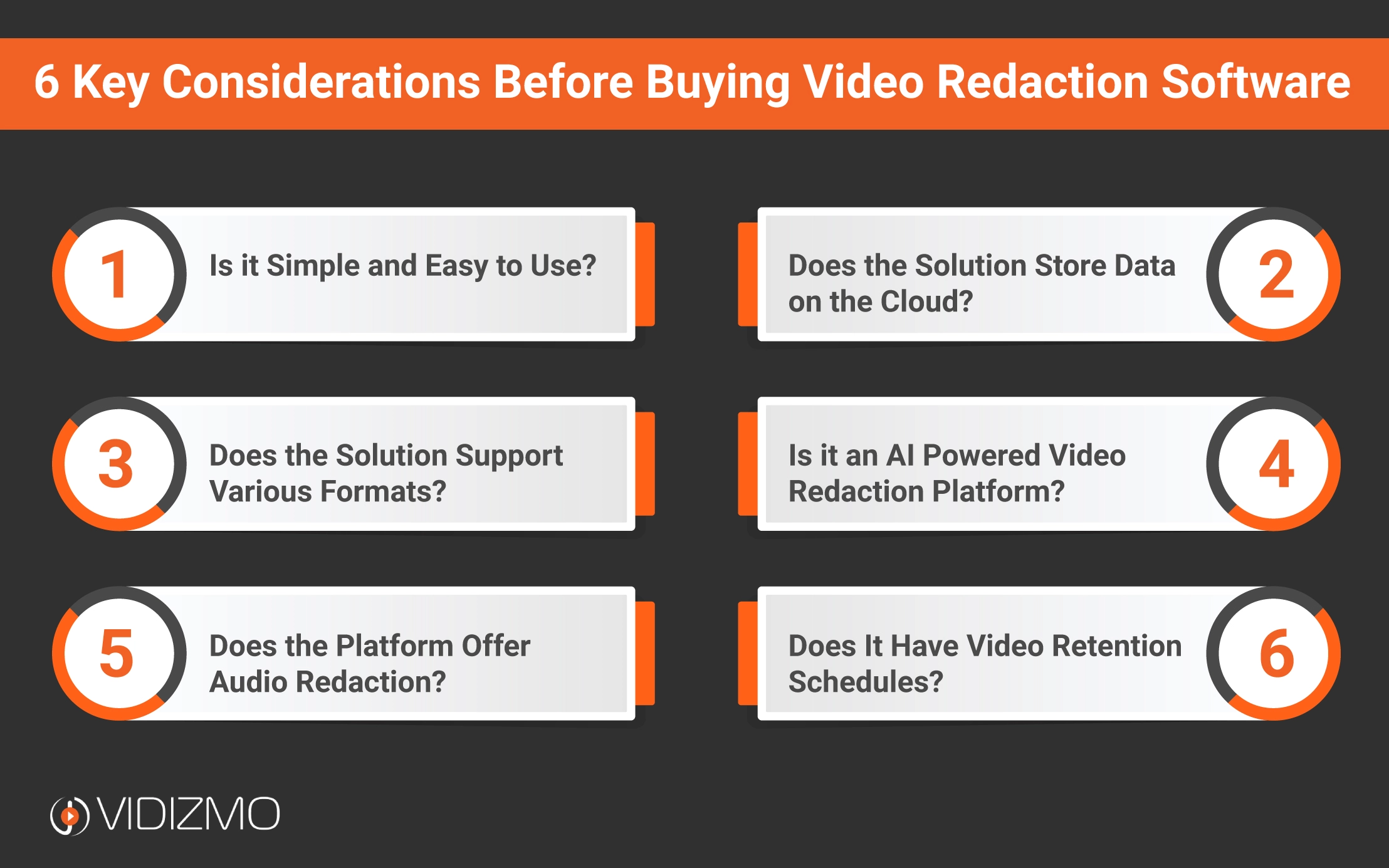
1. Detection breadth and accuracy
What it means. Which sensitive objects the software can find automatically, and how reliably, before a human touches the file.
Why it matters. Faces and license plates are the easy, table-stakes part. Real footage is full of other identifiers: other people in frame, vehicles, weapons, computer screens and mobile data terminals showing case data, identity documents, handwritten signatures, tattoos, and street signs or house numbers that give away a private address. Anything the tool cannot detect automatically becomes manual work, and manual work is where misses happen. A platform that only handles faces and plates hands the rest of the job back to you.
What good looks like. A broad, named set of detectable object classes; license plates read as searchable text rather than only blurred; and detection that holds up under the conditions real footage actually has, such as steep camera angles, distance, motion blur, and low light. Support for 360-degree and specialist formats like DICOM is a strong signal that the detection engine is serious rather than consumer-grade.
Questions to ask. What object classes are detected out of the box? Are license plates recognized as text? How does accuracy degrade in poor lighting or at distance, and can you show me on my own footage?
2. Object tracking across frames
What it means. Whether the tool follows a detected object as one continuous identity through the clip, rather than re-detecting it independently on every frame.
Why it matters. This is the single criterion most specific to video, and the one cheap tools fail. A face turns away, a vehicle passes behind a pillar, a person shrinks into the distance, and for the handful of frames where the detector loses the object, an untracked tool stops redacting it. That is a few frames of an exposed face in a released video, which is a breach. Genuine object tracking keeps the redaction locked to the subject through occlusion and movement.
What good looks like. The vendor talks about tracking, not just detection; a redaction applied to a subject persists as that subject moves, rotates, changes size, and is briefly hidden; and you can review the track as one object rather than frame by frame.
Questions to ask. Do you track objects across frames or detect per frame? What happens to a redaction when the subject is briefly occluded? Can I see a clip where a tracked subject leaves and re-enters the frame?
3. Human review and correction
What it means. The tools a reviewer has to verify and fix the automated output before the file is released.
Why it matters. No automatic detection is perfect, and for evidence "almost" is a breach. Automation should do the heavy lifting, but a person has to be able to correct it, because the released file is a legal artifact. A platform with no correction layer forces a binary choice between trusting the AI blindly or redoing everything by hand, and neither is acceptable for regulated disclosure.
What good looks like. A reviewer can adjust bounding boxes, add an object the AI missed, delete false positives, and split or merge tracks. Confidence thresholds are tunable, ideally per object class and separately for detection, recognition, and redaction, so you can make the tool cautious where a miss is costly and looser where over-redaction wastes time.
Questions to ask. Can a reviewer correct detections and add missed objects? Are confidence thresholds configurable per class? Is there an audit record of what the reviewer changed?
4. Audio redaction
What it means. The ability to redact sensitive spoken information in the recording's audio track, not just the picture.
Why it matters. Video carries audio, and audio carries PII: names, addresses, dates of birth, account and case numbers, spoken aloud in interviews and calls. A video-only tool produces a file that looks redacted but still discloses everything that was said. For interview footage and body-worn recordings especially, the audio is often the more sensitive half.
What good looks like. The tool transcribes the audio and lets you bleep or mute the sensitive spoken segments, with the transcript as the working surface so you can find and act on terms quickly. Because multi-speaker and live recordings are the hard case, ask specifically how the tool handles overlapping voices and long recordings.
Questions to ask. Can you redact spoken PII from the audio? Is there a transcript to search and act on? How does audio redaction handle multiple speakers?
5. Format, source, and deployment coverage
What it means. The range of footage the tool ingests without conversion, and where the software is allowed to run.
Why it matters. Footage arrives from body-worn and in-car cameras, CCTV, mobile phones, interview rooms, and specialist systems, in many codecs and container formats. A tool that forces you to transcode everything first adds a slow, lossy step and another point of failure. Deployment matters just as much: some evidence, by policy or by law, is not allowed to leave the agency's own environment at all, so a cloud-only tool is disqualified before features even enter the conversation.
What good looks like. Broad native format support, including 360-degree and DICOM where relevant, without a mandatory conversion step. On deployment, real options across cloud, on-premises, and a fully self-hosted or air-gapped mode where the AI stack runs on your own hardware and nothing leaves your network.
Questions to ask. Which formats are supported natively? Do you require conversion first? Can the platform, including its AI processing, run entirely on-premises or air-gapped?
6. Compliance, chain of custody, and retention
What it means. The controls around the redaction that let you prove how a file was handled and keep it for the right length of time.
Why it matters. Redaction is a compliance act, so the platform has to support the obligations that surround it, not just produce a blurred file. FOIA and DSAR responses, HIPAA-covered footage, and CJIS-governed evidence all demand a defensible process: who accessed the original, what was changed, and how long records are kept. Retention is not one number either, since a routine security clip may be discarded in 30 days while an investigative record may be held for years. A tool that cannot evidence its own handling undermines the very compliance it was bought to deliver.
What good looks like. Alignment with the regimes you operate under, such as CJIS, GDPR, HIPAA, FOIA, and DSAR; an audit trail and chain of custody that records every action on a file; and configurable retention schedules with defensible disposal.
Questions to ask. Which compliance standards do you align with, and how? Is there a chain-of-custody log for every file? Can retention be configured per case type?
A Quick Evaluation Checklist
Use this as a scan when you shortlist. If a tool cannot clearly answer the middle column, treat the gap as real.
| Criterion | Verify the tool can | Why it matters |
|---|---|---|
| Detection breadth | Detect faces, plates, people, vehicles, weapons, screens, ID documents, signatures, tattoos, street signs | Anything undetected becomes manual work and risk |
| Object tracking | Hold a redaction on a subject through movement and occlusion | Untracked detection exposes subjects for frames at a time |
| Human review | Adjust, add, and delete detections; tune confidence per class | Automation still needs a person for a defensible result |
| Audio redaction | Transcribe and bleep or mute spoken PII | Video-only redaction still discloses everything said |
| Formats and deployment | Ingest your formats without conversion; run on-prem or air-gapped | Some evidence cannot leave your environment |
| Compliance and custody | Provide audit trail, chain of custody, and retention rules | Redaction is only defensible if its handling is provable |
Red Flags to Watch For
A few patterns reliably signal a tool that will disappoint once real footage arrives:
- Face-and-plate only. If the demo covers only faces and license plates, assume everything else is manual.
- Detection without tracking. Impressive still-frame detections that are never shown following a moving subject usually mean per-frame detection, which fails on occlusion.
- No correction layer. A tool that outputs a finished file with no way to review or fix it is not built for regulated disclosure.
- Silent on audio. If audio redaction is not mentioned, it probably is not there, and half your PII is in the soundtrack.
- Cloud only, for evidence work. A single hosting model is a red flag for any agency whose data cannot leave its own environment.
- Compliance claimed, not evidenced. "Compliant" with no audit trail or chain of custody to back it is a marketing line, not a control.
How VIDIZMO Redactor Measures Up
VIDIZMO Redactor is built around these six criteria rather than face-and-plate blurring alone.
- Broad detection. Automatic detection and tracking of faces, people, vehicles, weapons, license plates (read as searchable text), screens and devices, identity documents, signatures, tattoos, and street signs, with support for 360-degree and DICOM footage.
- Frame-accurate tracking. Objects are tracked as a single identity across frames, so a redaction holds as the subject moves and is briefly hidden.
- Human-in-the-loop control. Reviewers adjust detections, add missed objects, remove false positives, and set confidence thresholds per class, with detection, recognition, and redaction tuned separately.
- Audio redaction. Speech is transcribed and specific spoken words are bleeped or muted, so PII in the soundtrack is covered along with the picture.
- Redaction styles and manual tools. Blur, pixelation, or solid boxes, applied automatically or by hand, plus editing to trim or split clips.
- Flexible, sovereign deployment. Cloud, on-premises, and hybrid, including a fully self-hosted option where the AI stack runs on your own hardware for evidence that cannot leave your environment.
Key Takeaways
- Detection breadth beats face-and-plate. The classes a tool detects automatically, from weapons and devices to signatures and street signs, decide how much manual work is left.
- Tracking is the video-specific test. Per-frame detection without object tracking drops redactions the moment a subject is occluded.
- Keep a human in control. Correction tools and tunable confidence thresholds are what make automated redaction defensible.
- Do not forget the audio. Spoken PII needs transcription plus bleep or mute, not just visual blurring.
- Match deployment to sensitivity. Cloud is fine for some footage; evidence that cannot leave the agency needs an on-premises or air-gapped option.
- Redaction is a compliance act. Audit trail, chain of custody, and retention schedules matter as much as the blur itself.
Ready to see these criteria in a working tool? Explore VIDIZMO Redactor or start a free trial.

FAQ
Frequently Asked Questions
What is video redaction software used for?
Video redaction software is used to blur or redact sensitive information in videos, such as faces, license plates, and other personally identifiable information (PII), to ensure privacy and compliance with regulations.
Why is AI important for video redaction?
AI enhances video redaction by automating the process of detecting and tracking sensitive information such as faces and license plates, making the redaction process faster, more accurate, and less labor-intensive.
What are the benefits of using cloud-based video redaction software?
Cloud-based video redaction software offers benefits such as faster processing, easier access control management, and quicker deployment, while freeing up space on local devices and ensuring scalable storage.
Can video redaction software redact both video and audio?
Yes, advanced video redaction software, such as VIDIZMO, can redact both video (faces, objects) and audio (spoken words) to protect privacy and ensure compliance.
What features should I look for in video redaction software?
Key features to look for include AI-powered automatic detection, support for various video formats, cloud storage, manual redaction capabilities, and compliance with regulations such as GDPR and CJIS.
TopicsRedactionVideo Content ManagementEnterpriseTubeRedactorSecurity and ComplianceCIO and IT Leadership
About the author
See how VIDIZMO helps you securely stream, manage, and maximize your video and digital evidence data with compliant, expert solutions.
You may also like
Troubleshooting a Machine Fault With Recorded Repairs and an AI Assistant
A fault code appears on the infeed servo at 2 a.m., and the technician who fixed the same fault last spring is not on ...

Combining Sensor Data With Video for Maintenance: What It Takes
A vibration alarm on a pump tells a reliability engineer that something about the bearing has changed, and nothing ...

Visual Equipment Monitoring: Leaks, Fire and Changes a Camera Can See
Many machine failures show themselves well before they stop anything, as oil pooling under a gearbox, a drip from a ...