
Protecting digital evidence is essential to preserve its integrity, authenticity, and legal admissibility. From forensic drive imaging and encryption to secure storage and controlled access, protecting digital evidence helps prevent tampering, maintain chain of custody, and ensure compliance with legal and forensic standards throughout the investigation process.
In this modern age of technology, digital evidence is an integral part of the entire investigation process and is growing at an exponential rate.
According to research, the digital forensics market is expected to reach USD 16.89 billion by 2032, a compound growth rate of 11.7% per year.
No doubt, digital evidence is a crucial player in solving criminal cases, but it is more fragile and can easily be tampered with or altered. Court requires sound digital evidence without any alteration. Therefore, digital evidence protection at every phase is of major concern from its collection to prosecution and court presentation.
When was the evidence collected, and why? Who recorded it? Who has accessed it since, and what actions are performed on it? How can you prove that the integrity of digital evidence is preserved?
What are the best ways to secure and protect digital evidence?
If you are wondering about best practices for preserving and protecting digital evidence, then you are at the right place.
In this guide, we'll explore how to preserve digital evidence effectively, focusing on protecting digital evidence from tampering while maintaining digital evidence integrity throughout investigations.
What Is Digital Evidence Protection?
Digital evidence protection is the set of practices, tools, and procedures used to preserve electronic data in its original, unaltered state so it remains legally admissible throughout an investigation. It covers every phase from the moment evidence is collected to its final presentation in court, and includes forensic imaging, encryption, chain of custody documentation, access controls, and tamper detection.
Any alteration to digital evidence, whether intentional or accidental, can render it inadmissible in court and collapse an entire case. That is why protecting digital evidence is not just a technical concern. It is a legal and operational necessity.
The Critical Role of Protecting Digital Evidence in Investigations
The role of digital evidence protection is critical for several reasons:
- Ensuring Integrity: The primary concern is to maintain the integrity of digital evidence. Any alteration, whether intentional or accidental, can result in evidence being ruled inadmissible in court.
- Admissibility in Court: Properly protected and preserved evidence is more likely to be accepted by courts. If the evidence is not properly handled, it may be contested during trials, leading to the loss of potential cases.
- Preventing Tampering: Digital evidence is highly susceptible to tampering or manipulation, especially if it is stored improperly or transmitted insecurely. Without adequate protection measures, digital evidence can be altered, compromising the case.
- Compliance with Regulations: Various regulations, including GDPR, HIPAA, and CJIS, mandate that certain types of digital evidence be protected and secured. Organizations need to adhere to these regulations to avoid legal consequences.
- Protecting Privacy and Confidentiality: Digital evidence may contain sensitive personal or corporate data. Its protection ensures that confidential information is not inadvertently leaked or misused, protecting individuals' and organizations' privacy.
Real-World Examples of Incidents Where Digital Evidence Was Not Protected
In recent years, several significant incidents have highlighted the critical importance of properly handling and protecting digital evidence. Here are some notable examples:
- Mishandling of Evidence in Orange County, California (2021):
- Incident: The Orange County Sheriff's Department mishandled evidence in numerous criminal cases, leading to the dismissal of charges in 67 cases.
- Details: Errors in evidence handling compromised the integrity of cases, resulting in significant setbacks for the justice system.
- Colorado Crime Lab Analyst Misconduct (2025):
- Incident: Yvonne "Missy" Woods, a forensic analyst at the Colorado Bureau of Investigation, was charged with over 100 criminal counts for allegedly altering and mishandling sexual assault case reports over 15 years.
- Details: Woods is accused of deleting data and issuing false reports, affecting over 1,000 cases and costing the bureau more than $11 million.
- Missing Video Evidence from January 6 Capitol Attack (2025):
- Incident: Video evidence used in the sentencing of a rioter from the January 6, 2021, Capitol attack disappeared from a government website.
- Details: Nine videos related to the case went missing, raising concerns about the potential loss of critical evidence from a significant event.
These examples highlight the severe consequences of failing to protect digital evidence adequately, ranging from financial losses and legal repercussions to reputational damage and loss of public trust.
It underscores the importance of implementing robust digital evidence preservation practices to safeguard both the data and the legal processes it supports.
How Evidence Mishandling Happens and What It Costs
Evidence mishandling is any break in the controlled, documented path evidence has to follow from collection to court: a gap in the chain of custody, access by someone without authorization or a reason, an altered or overwritten original, a lost file, destruction before the retention period ends, or a copy released outside approved channels.
Most mishandling is accidental, and it usually traces back to volume and variety. An agency handling body camera video, CCTV exports, phone extractions, interview audio, photographs and documents across several units ends up with files on local drives, removable media and email, each handled a little differently. Every manual step, such as copying a file to a USB drive or emailing a clip to a prosecutor, is a point where the record of who held the evidence can break.
The consequences follow a pattern. Defense counsel challenges the evidence, and the court may exclude it or prosecutors may drop charges instead of defending the gap, as in the Orange County cases above. Where altered or lost evidence contributed to a conviction, the result can be a wrongful conviction and a later reversal. Agencies also face civil liability, and privacy breaches when evidence containing personal information leaks. The best practices below are the controls that close those gaps.
What Is Digital Evidence Preservation and How Does It Differ from Protection
Digital evidence preservation is the process of maintaining digital evidence in its original, unmodified state from the moment of collection until it is no longer needed for legal proceedings.
While the two terms are often used interchangeably, they serve distinct roles. Protection focuses on securing evidence against unauthorized access, tampering, and theft through encryption, access controls, and secure repositories. Preservation focuses on maintaining the integrity and authenticity of that evidence over time, ensuring it does not degrade, get accidentally altered, or become corrupted during storage, analysis, or transfer.
Together, they form the foundation of any legally sound investigation. Both must be practiced simultaneously across five key phases: identification, collection, acquisition, storage, and documentation. Failing at any one phase, whether by powering off a live device before capturing volatile data, skipping hash verification, or transferring evidence over unsecured channels, can give opposing counsel grounds to challenge admissibility in court.
The Digital Evidence Lifecycle: From Collection to Disposition
Protection and preservation apply at every stage of the evidence lifecycle, each stage carrying an active control (protection) and a durable record (preservation).
- Collection. Secure transfer to centralized storage and a hash generated at the point of capture, with source metadata and the first chain-of-custody entry recorded.
- Ingestion. Automated scanning, format validation, and encryption at rest, plus an immutable record of who ingested what, when, and from where.
- Classification. Tagging by case, sensitivity, and retention category, with role-based access applied by classification.
- Secure storage. AES-256 at rest, TLS in transit, redundancy, and periodic integrity verification over time.
- Access and use. Multi-factor authentication and session monitoring, with every view, download, share, and modification logged immutably. Most chain-of-custody challenges target this stage.
- Retention. Automated enforcement of statutory and policy retention periods, with legal holds that suspend deletion when litigation is anticipated.
- Defensible disposition. Secure, documented end-of-life deletion showing what was removed, by whom, and under what authority.
A failure at any stage compromises everything downstream: evidence collected without metadata is hard to authenticate, stored without encryption is hard to defend, and disposed of without documentation is the basis for spoliation claims.
What Makes Digital Evidence Admissible in Court
Protecting evidence is not only a technical exercise. It is what allows evidence to survive a courtroom challenge. Courts apply four conditions when deciding whether digital evidence is admissible:
- Authentication. The proponent must show the evidence is what they claim it is, under Federal Rule of Evidence 901, or qualify for self-authentication under Rule 902.
- Integrity. The evidence must be demonstrably unaltered since the moment of capture.
- Chain of custody. A documented record of every person who accessed, transferred, or modified the evidence from capture through presentation.
- Procedural compliance. The collection, storage, and disclosure must comply with the applicable rules of procedure, privacy laws, and any sector-specific standards.
A file that is technically intact but was collected in violation of the Fourth Amendment, or stored in a non-CJIS-compliant environment by a law enforcement agency, can still be excluded. Admissibility is the combined technical and procedural standard, not one or the other.
Key Legal Frameworks Governing Digital Evidence
Which rules apply in a given case depends on jurisdiction, evidence type, and the parties involved.
Federal Rules of Evidence (FRE)
The FRE governs admissibility in federal court and is mirrored by most state codes. Rule 901 requires the proponent to produce evidence sufficient to support a finding that an item is what they claim it is, typically through witness testimony, hash values, metadata, or distinctive characteristics. Rule 902(13) and 902(14), added by the 2017 amendments, designate records generated by an electronic system and data copied from a device or storage medium as self-authenticating when verified by a hash value and accompanied by certification and advance notice. These amendments removed the need for live witness testimony to authenticate properly captured body camera footage, CCTV recordings, and forensic disk images.
Federal Rules of Civil Procedure (FRCP)
The FRCP governs electronically stored information (ESI) in civil litigation. Rule 26 requires early disclosure of relevant ESI, Rule 34 allows parties to request it in a usable format, Rule 37(e) sets the standard for sanctions when ESI is not preserved, and Rule 45 governs subpoenas for ESI from non-parties.
CJIS Security Policy
The FBI Criminal Justice Information Services Security Policy applies to any system that stores, processes, or transmits criminal justice information, and mandates controls such as encryption, multi-factor authentication, role-based access, and detailed audit logging. Any platform a law enforcement agency uses to manage digital evidence must support CJIS-compliant deployment. See meeting CJIS compliance requirements for how these controls apply in practice.
HIPAA
When digital evidence contains protected health information, HIPAA controls how that information is stored, accessed, and disclosed. This commonly arises with hospital surveillance, medical examiner records, or evidence from healthcare facilities.
Other frameworks
Several additional statutes affect specific evidence categories: the Computer Fraud and Abuse Act (CFAA) governs unauthorized system access; the Electronic Communications Privacy Act (ECPA) and Stored Communications Act (SCA) govern access to emails and stored communications; the California Consumer Privacy Act (CCPA) and other state privacy laws affect how personal data in evidence can be handled; and ISO/IEC 27037 is the international standard for identifying, collecting, acquiring, and preserving digital evidence, increasingly referenced in cross-border cases.
When Courts Have Excluded Digital Evidence
Three rulings show how an authentication failure alone can sink otherwise relevant evidence.
- Griffin v. State, 419 Md. 343 (2011). MySpace screenshots offered to prove witness intimidation were rejected because the prosecution could not authenticate them under Maryland's evidence rule. Anyone could have created the profile, and no extrinsic evidence linked the page to the defendant.
- People v. Lenihan, 30 Misc. 3d 289 (N.Y. Sup. Ct. 2010). MySpace photographs used in cross-examination were ruled inadmissible because the prosecution could not establish that the images had not been edited or altered.
- Meth v. Natus Medical Inc. LinkedIn profile evidence in a wage-and-hour dispute was excluded under FRE 901 for failure to authenticate the profile content.
The common thread: each turned on a Rule 901 authentication failure that hash verification, metadata capture, and documented chain of custody would have resolved.
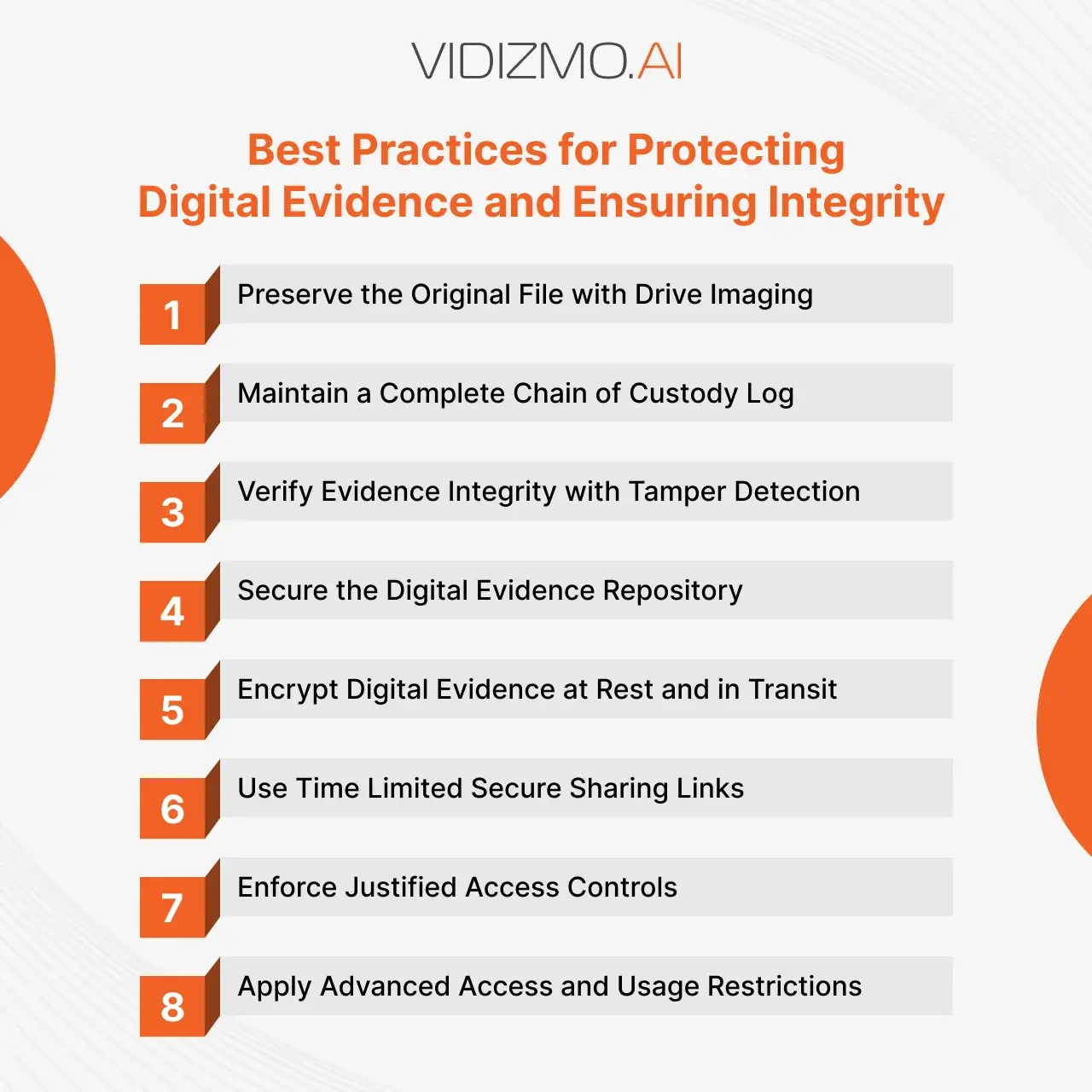
8 Best Practices for Protecting Digital Evidence and Ensuring Digital Evidence Integrity
To make digital evidence legally admissible, you need to bring best practices into play. Digital evidence preservation should be the top priority, ensuring that every phase of the evidence handling process, from collection to sharing, maintains the evidence’s integrity.
The following specific ways assist you in preserving and protecting digital evidence in every possible way.
1. Maintain Original File Using Drive Imaging
Before initiating the process of digital evidence analysis, officers or investigators should image it first. It means to create a bit-for-bit duplicate of an evidence file. In this way, you can retain the original digital evidence file.
Do not perform analysis on the original evidence file (perform any such analysis on its duplicate file). Make sure to limit every action performed on the original digital evidence file. Otherwise, the court will not accept it for legal proceedings.
The same rule applies when evidence is prepared for review and disclosure. Blurring a bystander's face, muting a spoken name, clipping a segment or annotating footage for a prosecutor, defense counsel or a public records request should produce a working copy, while the original stays unchanged as the record any copy can be checked against.
Keeping that work inside the evidence management system, instead of exporting files to separate editing tools, keeps each copy under the same access controls and custody trail as the original. In VIDIZMO DEMS, redaction keeps the original by default and writes the redacted version as a separate file. For the disclosure process itself, see our guide to evidence disclosure and compliance.
2. Log Every Activity in the Chain of Custody
In the judiciary, it is essential to prove the integrity of evidence. You should appropriately handle it by maintaining audit logs detailing: who has accessed it? Who modified it and how? Otherwise, it will not be admissible in court and will not stand against any legal interrogation.
Therefore, protecting digital evidence is a great challenge. You cannot rely on your operating system to provide you with such a detailed report.
Chain of custody will help you in proving the authenticity of evidence as it provides a complete record of who accessed the file, at what time, and the sequence of activities performed on the evidence by any authenticated user.
That record should cover automated access too. When AI tools search, summarize or analyze evidence on an investigator's behalf, each read belongs in the same custody trail as human access, attributed to the person who started it, so the trail is still complete when the evidence is questioned. In VIDIZMO DEMS, evidence reads by AI agents are recorded in the chain of custody alongside human access, attributed to the user who initiated them.
3. Verify the Evidence for Tamper to Protect Digital Evidence
The process of imaging generates cryptographic hash values. These cryptographic hash values verify the integrity and authenticity of digital evidence by providing proof that any digital evidence is the same as the original since uploaded.
If the evidence is altered in any way, recomputing its hash produces a value that no longer matches the one recorded at intake. Comparing the two detects the alteration, and a match shows the file is unchanged since its hash was recorded. A hash speaks to the file itself, not to whether what the file depicts is true.

4. Protect the Evidence Repository
In today’s digital world, vast amounts of evidence can be stored in compact storage solutions, from local servers to cloud-based repositories. If your digital evidence is stored in an evidence management system, cloud storage, or any external repository, securing the storage environment is crucial.
Ensure that your evidence storage system is well-protected by implementing strong access controls. Use multi-factor authentication (MFA) to restrict access to authorized personnel only. Set granular access controls so that only designated users can access specific evidence files. Additionally, each evidence should be password protected in order to add an extra layer of security.
Unauthorized access can compromise the integrity of digital evidence. To prevent breaches, always configure strict security policies within your evidence management system and ensure regular security assessments to identify vulnerabilities.
Granular access control sets permissions by action and by case or file. Viewing, uploading, editing, sharing and deleting evidence are separate permissions, and each person gets only the ones their duties require, on the cases they are assigned to. In a typical agency that looks like this:
- Patrol officers upload their own recordings and view evidence on their own cases.
- Investigators view, annotate and share evidence on the cases they are working.
- Evidence technicians manage intake, case assignment, retention and legal holds.
- Supervisors and auditors review custody records and access logs without being able to change evidence.
- Prosecutors and outside agencies see only the items shared with them, for a set period.
Two rules keep this manageable. Start every account at least privilege, the minimum its role needs, and grant more for a specific case when there is a need to know. Put an end date on temporary access, such as a task force assignment or an outside reviewer, so it expires on schedule instead of waiting for someone to remove it. Granting access on the case instead of file by file gives an assigned investigator everything in that case without a request for each file, and ending the assignment removes the access in one step.
In VIDIZMO DEMS, permissions are defined per action and can be limited to a user's own content or extended to all content. Access granted on a case is inherited by its evidence, a grant to a user or group can carry a start and end date, and evidence a user has no access to does not appear in their search results.
5. Protect Digital Evidence Using Encryption
To ensure maximum security, all stored digital evidence should be encrypted, whether at rest or in transit. This means applying end-to-end encryption to prevent unauthorized access, even if the storage system itself is compromised.
However, encryption strategies should align with operational needs. In large-scale Digital Evidence Management Systems (DEMS), built-in encryption at rest and in transit supports the encryption requirements of the CJIS Security Policy, GDPR and other frameworks. If using third-party storage solutions, ensure they support strong encryption standards like AES-256.
By encrypting all stored evidence, you prevent unauthorized access and protect sensitive information from breaches. Encryption keeps evidence confidential; proving it has not changed is the job of hash verification and the chain of custody.
6. Share Temporary Shareable Links of Evidence
When sharing digital evidence, it should be done in a controlled manner to prevent unauthorized distribution. Instead of granting unrestricted access, use tokenized URLs that allow secure sharing with limitations on:
- View limits: Restrict the number of times an evidence file can be accessed.
- Expiration time: Automatically revoke access after a set period to prevent misuse.
- One-time access links: Ensure evidence can only be viewed once by the recipient.
Recipients are usually prosecutors, defense counsel, partner agencies and outside experts. Sending evidence to them through the evidence system, instead of by email, removable media or a consumer file-sharing service, keeps the exchange controlled and recorded: the agency can show who received each item, what they were allowed to do with it and when they accessed it, while preventing leaks or unauthorized downloads.
7. Ask the Reason for Accessing the Evidence
To enhance accountability, require users to provide a reason for accessing specific evidence files. This practice ensures that every access request is logged with a justification, which helps:
- Maintain transparency in forensic investigations
- Prevent unauthorized access attempts
- Ensure compliance with legal and regulatory policies
This feature is particularly useful in law enforcement and legal proceedings, where chain of custody and access justification are critical for maintaining the integrity of digital evidence.
8. Apply Advanced Restrictions for Digital Evidence Protection
For maximum security, apply advanced access restrictions to limit evidence access based on specific parameters:
- Portal Restriction: Restricts access to evidence portals, allowing only managers and administrators to control sensitive data.
- Geo-Restriction: Restricts access to evidence by the requester's country, so material can be withheld from regions where it should not be viewed.
- Domain Restriction: Limits registration and access to approved email domains, so only users from your agency and named partner agencies can sign in.
Implementing these restrictions minimizes the risk of data leaks, prevents unauthorized access from external sources, and ensures compliance with legal standards in handling digital evidence.
These measures also support digital evidence preservation, ensuring the evidence is kept secure throughout the entire investigative process.
Storing Digital Evidence Securely: Cloud vs Local Storage
For long-term storage of digital evidence, which one is better, cloud storage or local storage platforms? You need to have trained IT employees to store each evidence file locally and create backups.
Moreover, local physical servers are more prone to external damage and hard to afford. Along with that, local servers have limited storage space. It is expensive to create and maintain the local storage system.
Cloud storage is the most secure and scalable, with additional layers of security that safeguard your digital evidence files.
According to Forbes, 94% of organizations claimed an improvement in security after switching to the cloud.
Therefore, for protecting digital evidence you should opt for a cloud-based storage platform, as it ensures better digital evidence preservation with added scalability, security, and ease of management.
Read more about the differences between cloud vs on-premise storage.
VIDIZMO DEMS: Complete Solution for Digital Evidence Protection
VIDIZMO provides an IDC-recognized Digital Evidence Management System (DEMS), which is secure and easy-to-use software. It enables law enforcement agencies and other organizations to collect, store, handle, share and protect digital evidence in its entire journey.
VIDIZMO DEMS is trusted for its secure storage, flexible deployment options, AI-powered features, and whatnot. The following are some of its remarkable features:
- Collecting digital evidence from various sources such as dashcams, body-worn cameras, CCTV, drones, etc.
- Encrypting digital evidence at rest and in transit, using FIPS 140-3 validated cryptographic modules on supported infrastructure.
- A wide range of deployment options includes Azure Cloud, AWS Cloud, Any Other Commercial or Government Cloud, on-premises data centers, and hybrid infrastructure.
- Detecting tampering with digital evidence by re-verifying, on demand, the SHA-384 hash recorded at upload, with tamper detection enabled for the portal.
- Sharing digital evidence with other officers, prosecutors and defense attorneys under view limits, expiration dates and viewing-only rights.
- Connecting to your case management system through the REST API and webhooks, with computer-aided dispatch (CAD) and records management system (RMS) integrations available on request.
- Single Sign-On (SSO) with Microsoft Entra ID, Okta, OneLogin or any identity provider that supports SAML 2.0, OAuth 2.0 or OpenID Connect.
- Maintaining a complete chain of custody reports in detail for tracking digital evidence across the portal.
- Supporting CJIS-compliant deployments and customers' HIPAA and GDPR obligations, with FedRAMP compliance through a FedRAMP-authorized hosting partner.
- Detecting, tracking, and redacting personally identifiable information appearing in videos.
- Restricting access to digital evidence by country.
- Assigning specific roles to each user role-based access control with certain permissions to access the portal.
- Flagging of evidence to provide notifications and updates regarding any type of activity performed on the evidence to authorized people.
- Sharing digital evidence with external users via a link with expiration dates. Creating multiple links for each evidence file.
Talk to our experts today and discover how VIDIZMO can help you protect digital evidence, ensure compliance, and maintain integrity in every investigation.

Common Preservation and Protection Mistakes to Avoid
The same failure patterns show up across agencies and legal teams:
- Storing evidence in shared drives. Google Drive, SharePoint, OneDrive, and Dropbox lack the chain of custody, integrity verification, and case-based access control evidence requires.
- Manual chain-of-custody logs. Spreadsheets and paper capture a fraction of actual access events, and court challenges target exactly those gaps.
- Inherited folder permissions and orphaned access. Permissions that cascade from parent folders, or that stay active after an employee leaves, are a recurring exposure.
- Skipping the hash baseline at ingestion. Without a hash generated at intake, there is nothing to prove a file is unchanged later.
- Inconsistent metadata and naming. When each unit records case numbers, officer IDs and locations its own way, evidence is hard to find, easy to file against the wrong case, and harder to authenticate later.
- Retention drift. Without automated enforcement, files are kept too long (compliance exposure) or deleted too soon (spoliation exposure).
- Sharing evidence outside the platform. Evidence emailed or downloaded exits the chain of custody the moment it leaves the system.
How Law Enforcement Agencies Apply Digital Evidence Management Best Practices
Digital evidence management is the discipline that ties these practices together: the policies, people and systems an agency uses to keep evidence authentic, secure, traceable and admissible from capture to final disposition. Agencies that apply the practices consistently, across units and over years, tend to do four things:
- One intake path. Evidence from body-worn cameras, in-car systems, interview rooms, mobile devices and public submissions goes straight into the evidence system as early as possible, with required metadata (case number, officer ID, date, time and location) captured at upload. That reduces disputes about when evidence was created and who handled it before it was stored.
- Written procedures. Documented policies for intake, access, sharing, retention and disposal give officers and evidence technicians one standard to follow, and give the agency a record to point to when its handling is questioned in court.
- Recurring training. Officers, detectives and evidence technicians are trained on those procedures when they join, when their role changes and when the procedures change.
- Scheduled audits. Regular reviews of access logs, sharing activity and retention status catch orphaned permissions, unexplained access and retention drift before defense counsel or an oversight body does.
A digital evidence management system enforces much of this by design: required fields at upload, access granted at the case level, retention policies and legal holds applied by rule, and a custody trail that records every action automatically. Policy, training and audits cover the rest. For the wider picture of running a digital evidence program, see our digital evidence management guide.
Digital Evidence Protection in the Modern Age
Digital evidence plays a pivotal role in modern investigations, but its fragility and susceptibility to tampering make its preservation and protection paramount. Digital evidence preservation is crucial to ensure that evidence remains intact and untampered with throughout the investigative process.
Implementing best practices such as drive imaging, maintaining a robust chain of custody, leveraging tamper detection mechanisms, securing evidence storage, advanced restrictions, and limited sharing ensures digital evidence protection and admissibility in court.
The choice between local and cloud storage highlights the need for scalability, security, and cost-efficiency. For effective digital evidence preservation, organizations must consider flexible, secure storage options. VIDIZMO Digital Evidence Management System (DEMS) offers the best of both worlds with flexible cloud, on-premises, and hybrid deployment options to manage and store digital evidence securely.
Its robust features, including industry-standard encryption, tamper detection, chain-of-custody maintenance, and AI-powered tools, empower organizations to meet the increasing demands of digital investigations while ensuring strict compliance and comprehensive digital evidence protection.
By embracing these strategies and tools, law enforcement agencies and other organizations can confidently navigate the challenges of digital evidence preservation and uphold the integrity of their investigations.
FAQ
Frequently Asked Questions
What are the best practices for preserving digital evidence?
To preserve digital evidence effectively and ensure its integrity, it is essential to create a bit-for-bit duplicate of the original evidence file. This process of imaging guarantees that the original file remains untouched, a key step in digital evidence preservation. It is also critical to maintain a detailed chain of custody log, which tracks each step of evidence handling. This log is crucial for proving the authenticity of the evidence and plays a pivotal role in digital evidence preservation during the investigation process.
How can the integrity of digital evidence be maintained?
The integrity of digital evidence can be maintained by creating cryptographic hash values, which help detect any alterations. If the evidence is tampered with, the hash value will change, indicating that the integrity has been compromised.
Why is chain of custody important in digital evidence protection?
The chain of custody ensures that every action taken on the evidence is properly logged and can be traced back to an authenticated individual. It helps demonstrate that the digital evidence has not been altered and can be legally presented in court.
How is digital evidence protected and securely stored?
Digital evidence should be securely stored using strong encryption methods and multi-factor authentication (MFA). Whether in cloud storage or physical servers, digital evidence storage systems should be configured to prevent unauthorized access and regularly reviewed for vulnerabilities.
What are the best practices for sharing digital evidence?
When sharing digital evidence, it is important to use secure methods like tokenized URLs with access limits, expiration dates, and one-time access options. This ensures that only authorized individuals can view the evidence, preventing unauthorized distribution or tampering.
What is digital evidence protection?
Digital evidence protection involves securing, verifying, and maintaining the integrity of digital files throughout the investigation process. This includes using encryption, creating hash values for verification, and implementing strict access control policies to ensure the evidence remains untampered with.
What is the role of encryption in digital evidence protection?
Encryption plays a crucial role in digital evidence protection by ensuring that evidence files remain secure, both when stored and when transmitted. End-to-end encryption prevents unauthorized access, even if the storage system is compromised.
How long does law enforcement need to retain digital evidence?
There is no single period. Retention depends on the type of case and offense, the statute of limitations, appeal and post-conviction timelines, state records retention schedules and agency policy. Evidence in cases with no statute of limitations, such as homicide, is often kept indefinitely, while recordings with no evidentiary value may be kept only briefly. Best practice is to assign a retention category when evidence is ingested, let the system apply the schedule, place a legal hold when litigation is pending or reasonably anticipated, and document every disposal.
What should law enforcement agencies look for in a digital evidence management system?
Look for a chain of custody recorded automatically for every action, with the user, time and IP address; hash-based tamper verification; role- and case-based access with Single Sign-On and multi-factor authentication; CJIS-compliant deployment options; redaction that keeps the original intact; retention policies and legal holds applied by rule; controlled sharing with expiring, view-limited links; and custody reports that export for court. Any of these that depends on a manual workaround is a gap defense counsel can find.
What are the consequences of mishandling digital evidence?
Mishandled evidence can be challenged and excluded in court, and prosecutors may drop charges instead of defending a gap in the chain of custody. Where altered or lost evidence contributed to a verdict, it can lead to a wrongful conviction and a later reversal. Agencies also face civil liability, privacy breaches when evidence containing personal information leaks, disciplinary or criminal action against the people involved, and a loss of public trust. Most mishandling comes from manual steps and files held outside a controlled system, which is why documented custody, restricted access and hash verification matter.
What is granular access control in digital evidence management?
Granular access control limits each person to specific actions on specific evidence. Viewing, uploading, editing, sharing and deleting are separate permissions, granted by role and narrowed to the cases a person is assigned to. Role-based access control sets what a job role may do; granular access control adds which cases or files they may do it to, and for how long. The aim is least privilege: everyone can do their job, and nobody can open evidence they have no reason to see.
TopicsDigital Evidence ManagementData SecurityLegal and Privacy
About the author
Jack Reed is a Product Marketing Executive at VIDIZMO, exploring how video data and AI solutions help businesses.
You may also like

What Is a Real-Time Crime Center? A Guide for Cities and Counties
Somewhere in the last two years, someone probably asked your department whether it should have a real-time crime ...
Staffing a Real-Time Crime Center When Software Does the Watching
Most chiefs who hear a pitch for a real-time crime center ask the same question before any other, which is whether they ...

RTCC, EOC or Situational Awareness Center: What Each Room Is For
Walk into a real-time crime center, then into a city's emergency operations center, and you will see much the same ...