<img height="1" width="1" style="display:none;" alt="" src="https://px.ads.linkedin.com/collect/?pid=YOUR_ID&amp;fmt=gif">

Desktop Application for Offline Video Viewing and Sync

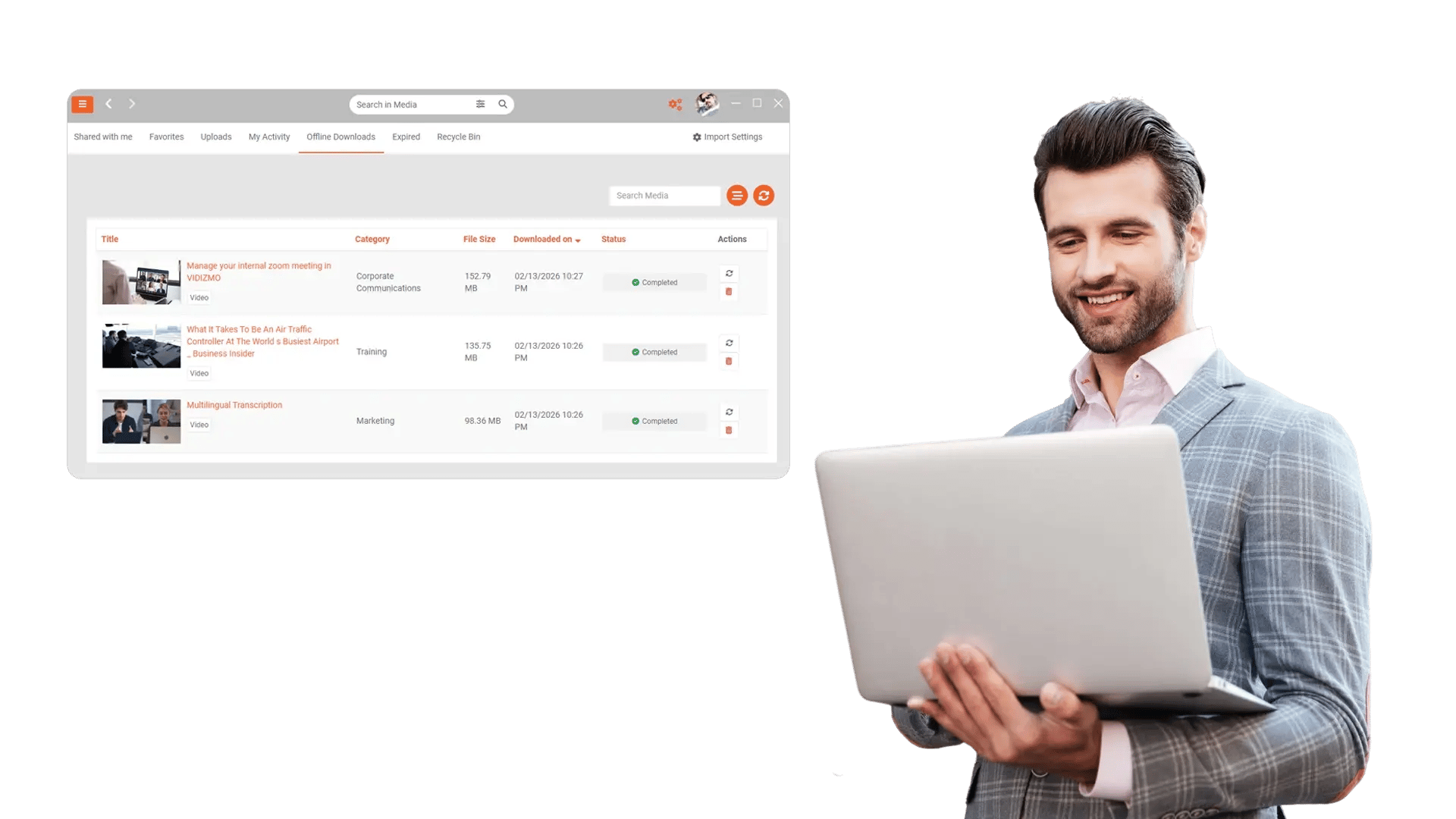
View videos offline and sync them with the web application using the desktop client of the enterprise video platform. Keep training, briefings, and mission-critical guidance accessible anywhere, then reconnect to stay up to date.

Desktop Application for Offline Video Viewing and Sync

100+ Leading Organizations Trust Our Data and AI Solutions

View Videos Offline and Keep Work Moving

When teams travel, work in secure facilities, or lose connectivity, streaming stalls and productivity drops. The EnterpriseTube Desktop Application lets users download approved videos for offline playback and continue learning, reviewing, and presenting without relying on the network.

View Videos Offline and Keep Work Moving
Sync Downloads with the Web Application

Sync Downloads with the Web Application

Offline access is only useful when content stays current. The desktop client syncs downloaded content with your EnterpriseTube web application so users receive updated versions, new assignments, and policy changes as soon as they reconnect.

Secure Offline Playback with Enterprise Controls

Organizations need offline access without losing control. EnterpriseTube applies policy-based access and security controls so offline content remains protected, aligned with permissions, and appropriate for regulated workflows.

Secure Offline Playback with Enterprise Controls
Access the Same EnterpriseTube Experience on Desktop

Access the Same EnterpriseTube Experience on Desktop

Users should not need a different workflow when they move offline. The desktop app mirrors core EnterpriseTube experiences so employees can find, open, and watch content on desktop with a familiar interface.

Download Playlists and Curated Sets for Offline Use

Offline viewing is most effective when content is packaged for the job. Teams can prepare curated sets for training, compliance, or field operations so users have the right videos ready before they disconnect.

Download Playlists and Curated Sets for Offline Use
Central Configuration for IT and Administrators

Central Configuration for IT and Administrators

Desktop deployments require predictable behavior. The EnterpriseTube desktop client supports enterprise-friendly configuration so administrators can standardize usage, reduce support tickets, and keep the experience aligned with organizational policies.

Can Be Used For

Frequently Asked Questions

What is the EnterpriseTube Desktop Application?

It is a desktop client for EnterpriseTube that enables offline video viewing and synchronization with the EnterpriseTube web application.

How does synchronization work when users reconnect?

When connectivity returns, the desktop client syncs with the web application to reflect updates, new content, and relevant changes based on permissions and policies.

Can teams prepare curated offline content for training or fieldwork?

Yes. Teams can prepare curated sets (such as training collections) so users have the right videos available before they go offline.

Can users view videos offline?

Yes. Users can download approved videos to their desktop device and watch them without an internet connection.

Is offline content controlled and protected?

EnterpriseTube applies enterprise controls and policy-based access so offline viewing remains aligned with permissions and organizational security expectations.

Does the desktop client replace the EnterpriseTube web application?

No. The desktop client complements the web application by enabling offline playback and syncing, while the web application remains the primary hub for publishing, governance, and discovery.

Keep Enterprise Video Accessible, Even Offline

Enable offline viewing, keep content synchronized with the web application, and deliver a consistent EnterpriseTube experience across desktop and online workflows.
back to top