Define Your Own Patterns to Detect and Redact Information
VIDIZMO Redactor lets you create custom redaction rules using plain text matching, regular expressions, and context words to identify sensitive data unique to your organization. Go beyond the 40+ built-in PII categories and target proprietary identifiers, internal codes, and non-standard formats that automated models do not cover.
Define once. Apply across every file, every time.

What Are Custom Redaction Rules?
Custom redaction rules are user-defined patterns that tell the redaction engine exactly what to find and remove. Instead of relying only on prebuilt AI models, your team specifies the exact text strings, formats, or data patterns that qualify as sensitive within your organization.
VIDIZMO Redactor supports three rule types: exact text matching for known values, regular expressions for structured patterns, and context-word pairing for terms that are only sensitive in specific contexts. Rules are saved and reusable, so they can be applied consistently across documents, audio transcripts, videos, and images in every future redaction job.
Key Benefits:
- Target proprietary identifiers, internal codes, and non-standard data formats that prebuilt models cannot detect
- Build rules with plain text, regular expressions, or context-word combinations for precise matching
- Save and reuse rules across teams and projects for consistent, repeatable redaction
- Apply custom rules alongside built-in PII detection in a single pass
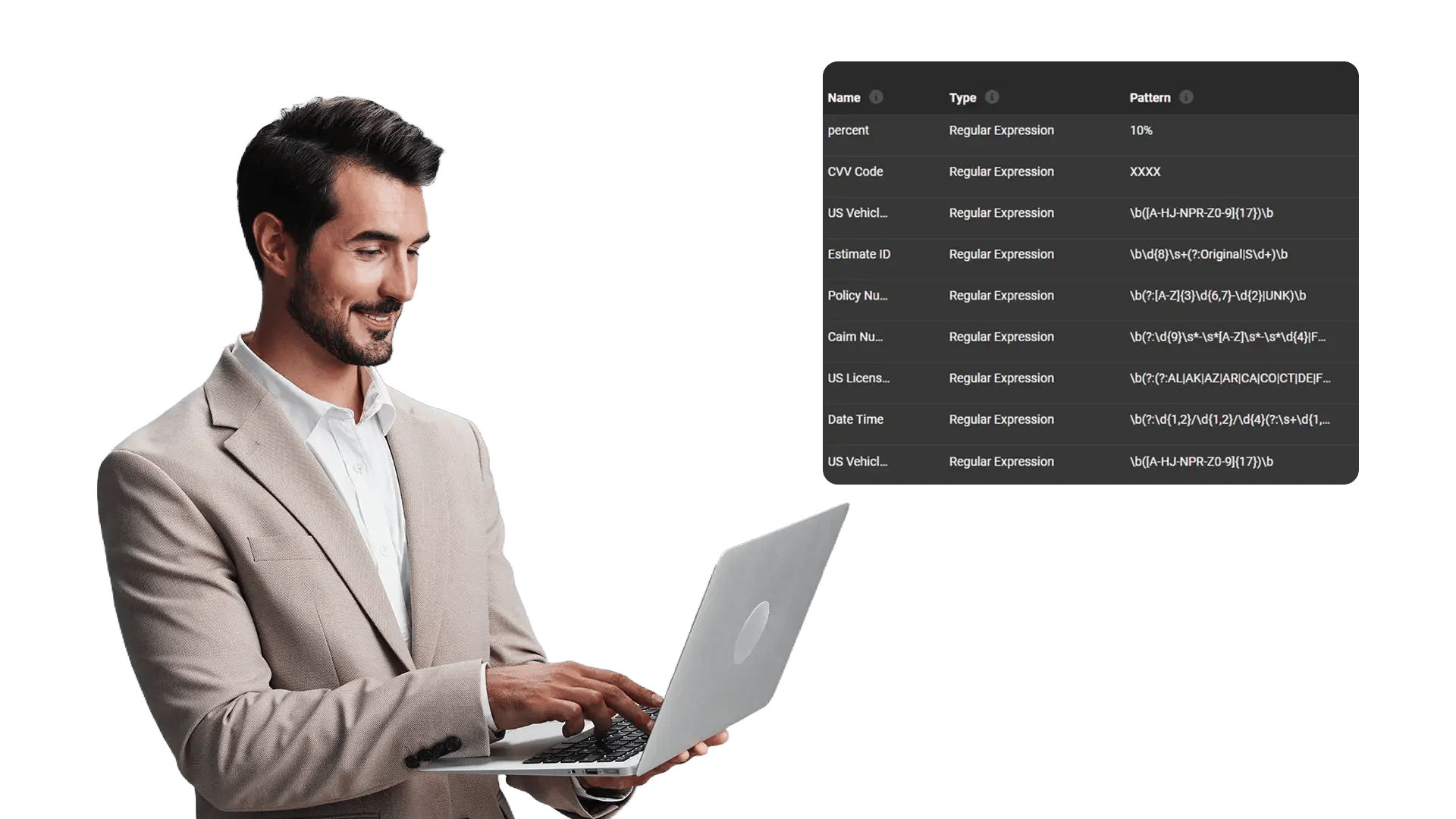
Go Beyond Standard PII Categories
Built-in AI models cover common PII types like SSNs, credit card numbers, and phone numbers. But every organization has data that falls outside those categories. Custom redaction rules let you close that gap.
Capabilities Include:
- Define exact text patterns for known sensitive terms, names, or values
- Write regular expressions to match structured formats like internal case numbers, policy IDs, or custom account codes
- Pair patterns with context words so redaction triggers only when the pattern appears near a qualifying term
- Combine multiple rules into a single redaction configuration for layered detection
- Apply custom rules across documents, audio transcripts, and video content in one workflow
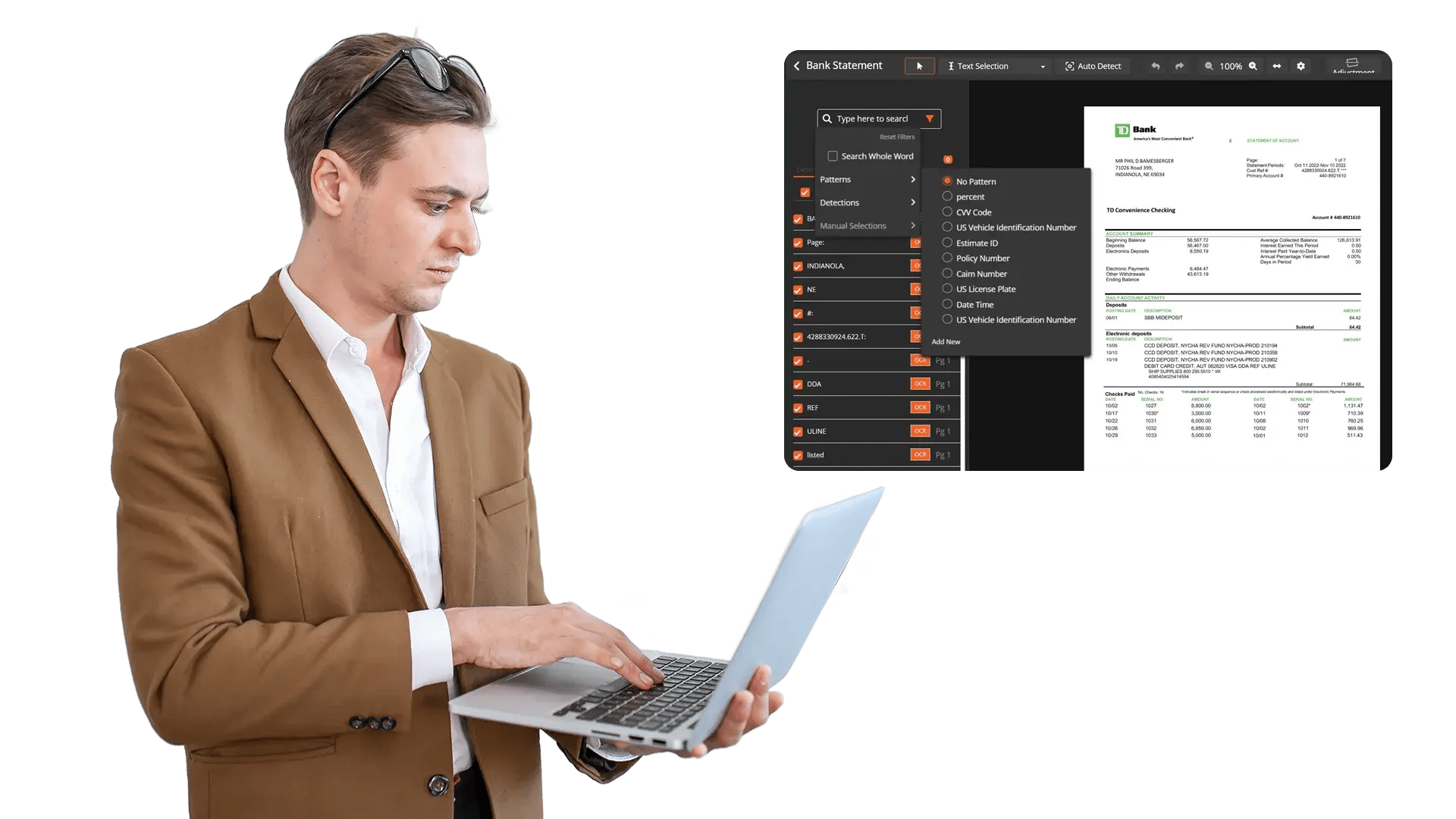
Build and Validate Rules with Confidence
Writing regex patterns for production redaction requires precision. VIDIZMO Redactor includes built-in validation so your team can test expressions before running them against live files.
Capabilities Include:
- Built-in regex validation confirms expression syntax before processing begins
- Preview matched results to verify accuracy before applying permanent redaction
- Name and organize custom rules for easy identification and team-wide access
- Update or modify saved rules without rebuilding configurations from scratch

Apply Custom Rules at Scale
Custom rules are not limited to one-off use. Once defined, they integrate directly into bulk and template-based workflows so your team can process thousands of files with the same precision applied to one.
Capabilities Include:
- Apply saved custom rules across bulk redaction batches of any size
- Include custom rules in redaction templates for standardized, repeatable processing
- Queue-based automation runs custom rule jobs overnight or during off-hours without analyst intervention
- Process documents, audio, video, and images with the same rule set in a single operation
- Track rule application results through the workflow window for full visibility into matches and completion
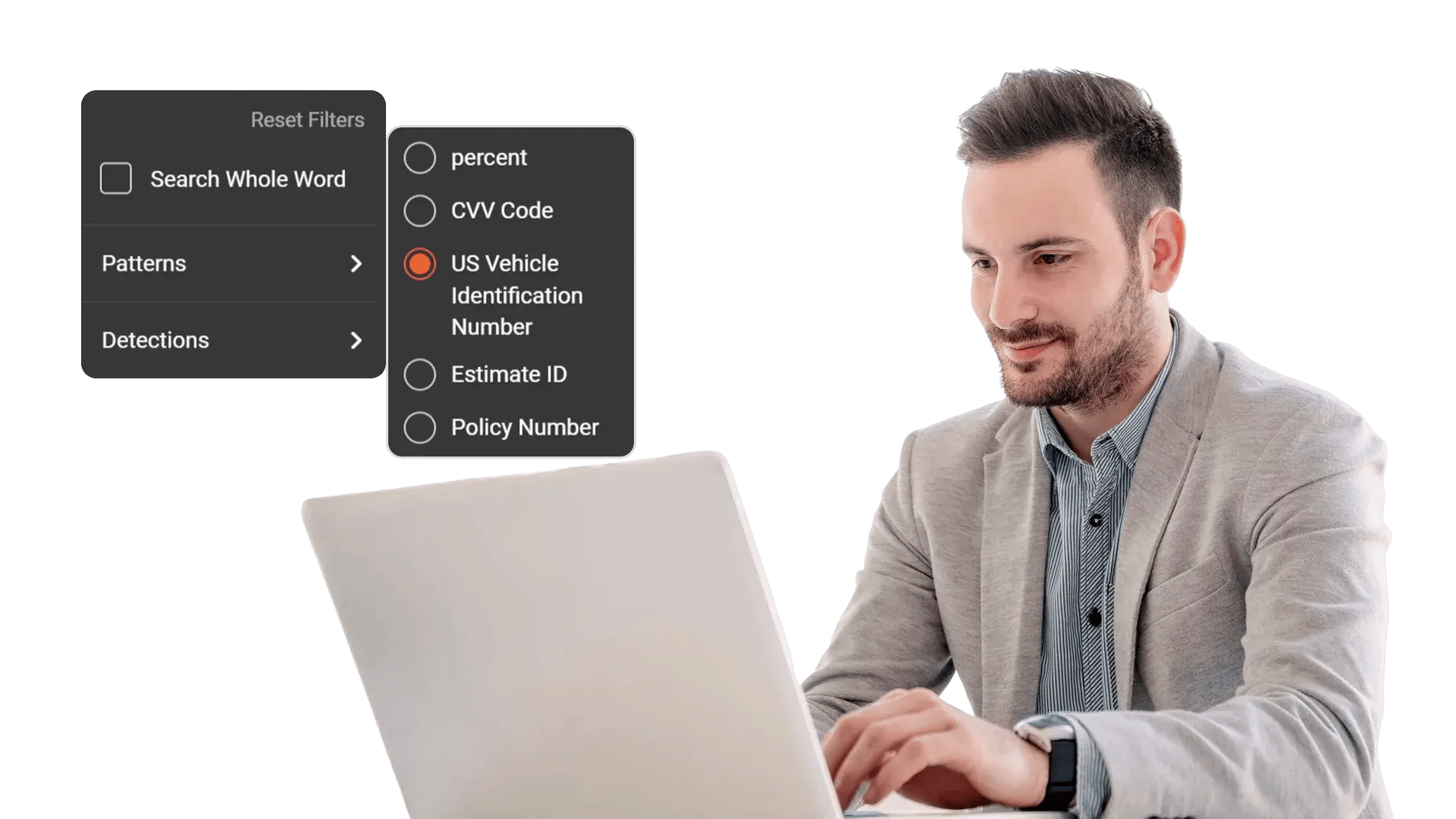


Define Your Rule
Enter an exact text string, write a regular expression, or combine a pattern with context words. Name the rule for future reference.

Apply to Content
Select your custom rules alongside built-in PII detection. Upload documents, audio files, videos, or images and run redaction.

Process at Scale
Save rules into templates and apply them across bulk batches. Queue-based automation handles large volumes without manual intervention.

Export Securely
Download or distribute redacted outputs with full audit trails. Originals are preserved separately. Every custom rule match is logged.
Disclosure-Ready Workflows
Consistent Redaction Standards
Governance & Access Control
Audit-Ready Accountability
Scalable Operations
Secure Deployment & Data Control

On-Premise
Full control over infrastructure, data, and security policies—ideal for strict residency and compliance needs.

Private Cloud
Dedicated cloud environment with enhanced security and isolation, combining scalability with operational control.

Government Cloud
Built to meet government-grade security and compliance standards. Supports regulated frameworks.

Hybrid Environments
Integrates on-prem and cloud deployments seamlessly while keeping sensitive workloads secure.
Law Enforcement
Manually redact critical details in evidence when context matters, such as unique identifiers, informant details, or sensitive scene elements. Combine automation with analyst oversight to support CJIS-aligned workflows and defensible disclosure.

Legal
Protect privileged and confidential information in discovery, exhibits, recordings, and filings. Manual redaction ensures accuracy for nuanced content and enables consistent outputs across productions.
Healthcare
Safeguard PHI in scanned records, recorded consultations, and supporting media. Manual refinement helps ensure HIPAA-aligned redactions when identifiers are complex or poorly captured.

Government
Meet FOIA and public records requirements by applying careful, context-aware redactions, especially for sensitive terms, protected categories, or unique identifiers requiring human judgment.

Call Centers
Manually refine redactions in recorded calls where speech is unclear, overlapping, or context-dependent. Reduce risk while maintaining recording usability for QA and dispute resolution.

Education
Protect student and staff privacy in incident reports, recordings, and documentation. Manual tools support FERPA-related redactions when sensitive information is nuanced or case-specific.

Finance
Ensure accuracy when redacting account details, identifiers, and confidential references in customer documentation and recorded interactions—supporting compliance and risk reduction.

Transportation
Redact incident evidence, operational footage, and reports where unique visuals, identifiers, or sensitive context require manual control for accurate release.